Kingly IntelligenceSystems Start a project

Home / Capabilities / AI Operating Systems

Capability 03

One AI operating system for your whole business

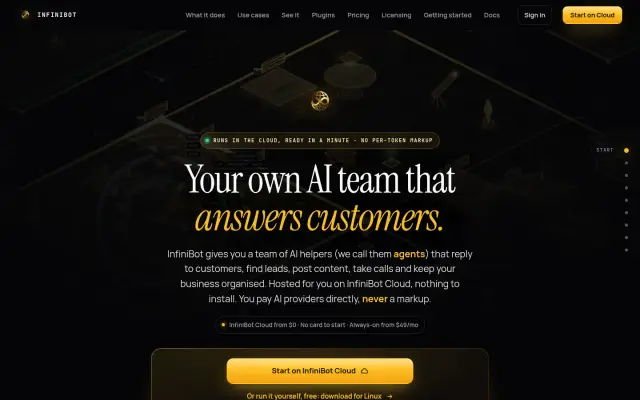
For owners juggling a dozen AI tools that know nothing about each other. We bring them into one system built on InfiniBot, our own platform, with AI assistants that work in your channels, share one memory and ask before they act.

Who this is for, and what you get

Who it is for

Owners and small teams who answer the same questions all day and want AI helping, without losing control of it.

The problem

Separate chatbots do not share what they know. Details sit in different apps, and nobody can say what the AI did or what it is allowed to do.

What you get

A set-up workspace, with AI agents (assistants that can carry out tasks) working from your documents, under written rules you control.

What we build

What this covers

Customer-facing agents

AI assistants in WhatsApp, Telegram, Instagram, Discord, Slack and more. They answer from your own documents and hand tricky cases to a person.

Back-office agents

Briefings, invoice chasing, task boards, notes and follow-ups that run on a schedule.

Business hub

Clients, sales pipeline, revenue from Stripe, Whop and Square, and a daily view of what matters.

Approvals and control

Sensitive actions wait for the owner. Agents cannot approve themselves.

Private deployment

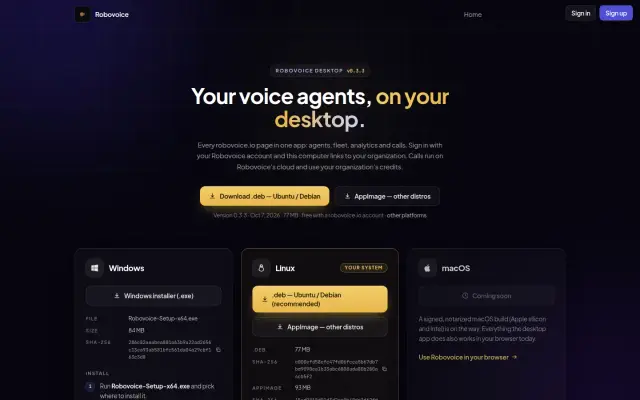
A private cloud machine for each workspace, or self-hosted on your own hardware with AI models that run locally.

Industry editions

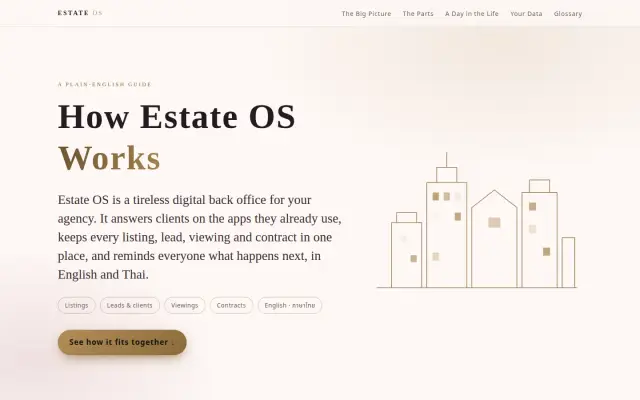
We have built versions for specific fields, such as clinics and real estate, on the same core.

Sample architecture

How it fits together

Chat appsVoiceControl app InfiniBot gateway
Illustrative simulation, not live data

Customer agent

Answers and books

Idle—

Ops agent

Runs routines

Idle—

Coding agents

Parallel work

Idle—

Queued

    Working

      Owner decides

      • Chase an overdue invoice

      Done

      • Send a meeting follow-up
      • Post the daily summary

      Activity log

      1. gateway chat apps connected
      2. gateway rules loaded for 3 agents
      3. memory shared documents ready
      A sample business deployment: every channel reaches one gateway, and agents share memory and rules.

      The console, step by step

      Follow one client message through the system

      The console above is a simulation. Its cards move through four lanes: Queued, Working, Owner decides and Done. To see what that means for a real business, picture a sample hair salon. A client sends a WhatsApp message asking to move a Saturday appointment.

      1. The message arrives

        What happens
        The client writes in the app they already use. Chat apps, voice and the owner’s control app all count as channels.
        Who does it
        The client, on WhatsApp.
        Why it matters
        Clients do not need another app, and the salon does not need to watch five inboxes.
      2. The gateway routes it

        What happens
        The gateway is the front desk of the system. It checks who is writing and passes the message to the right agent.
        Who does it
        The InfiniBot gateway.
        Why it matters
        One place applies the rules, whichever channel the message came through.
      3. The right agent takes it

        What happens
        A booking question goes to the customer agent. Invoices go to the ops agent, and software tasks go to coding agents.
        Who does it
        The agent you assigned to that kind of work.
        Why it matters
        Each agent sees only the work and the tools you gave it.
      4. It checks shared memory

        What happens
        The agent reads the salon’s own documents and past conversations: opening hours, services and this client’s history.
        Who does it
        The agent, reading from memory.
        Why it matters
        Answers come from your information, and every agent works from the same facts.
      5. It uses your tools

        What happens
        If the rules allow it, the agent acts in your connected accounts: customer records, payments or email.
        Who does it
        The customer or ops agent.
        Why it matters
        The appointment gets moved, not just discussed.
      6. Sensitive actions wait

        What happens
        Anything you marked as sensitive, such as a refund, stops and waits in the Owner decides lane.
        Who does it
        You. Agents cannot approve themselves.
        Why it matters
        The AI keeps working on other tasks, and money only moves when you say so. Try Approve or Decline above.
      7. The result is saved

        What happens
        The outcome goes back into memory and shows in the activity log, so you can see what happened.
        Who does it
        The agent and the gateway.
        Why it matters
        Next time, any agent knows what was done. You can review the work.

      The switch labelled “Local models only” shows one more option: AI models (the part that does the thinking) can run on your own hardware through a tool called Ollama, so sensitive work stays on machines you control.

      Approvals and control

      You set what each agent may touch

      Sensitive actions wait for the owner. Agents cannot approve themselves.

      Select a cell to change the rule

      Illustrative rules
      AgentDocumentsCRMEmailPayments
      Customer agent
      Ops agent
      Coding agents

      Ops agent → Payments: waits for the owner.

      How to read this table

      What each setting means

      Each row is an agent, and each column is something it could touch. Select any cell to cycle through the three settings. The sentence under the table spells out your choice. These rules are examples, and yours are written with you during setup.

      1. Allowed

        What happens
        The agent can use this tool on its own, within its rules.
        Who does it
        The agent.
        Why it matters
        Routine work, such as updating a customer record, gets done without interrupting you.
      2. Ask owner

        What happens
        The agent prepares the action, then stops until you approve or decline it.
        Who does it
        You make the decision.
        Why it matters
        You stay in charge of payments and anything else you want to see first.
      3. No access

        What happens
        The agent cannot reach this tool at all.
        Who does it
        The system enforces it.
        Why it matters
        A coding agent, say, has no route into your customer payments.

      Process

      How the work runs, step by step

      1. 01

        Find the repeat work

        We list the jobs your team repeats, the questions customers ask, and the tools that hold the answers.

        Who does it
        Our team, with your staff.
        What you get
        AI goes where it saves real time, not where it merely sounds impressive.
      2. 02

        Design agents and rules

        We agree what each agent does, what it may touch, and which actions need a person to approve.

        Who does it
        You decide. We write it down.
        What you get
        Written rules you can read and change, before anything goes live.
      3. 03

        Connect and teach

        We connect your channels, accounts and documents, then test with real scenarios.

        Who does it
        Our team, with your staff checking the answers.
        What you get
        Agents get tried on your actual questions before customers meet them.
      4. 04

        Operate and improve

        We run it with you, review what the agents did, and adjust the rules as the business changes.

        Who does it
        Your team and ours.
        What you get
        The system keeps up with your business instead of going stale.

      The stack

      Tools we run in production

      We pick for your system. These are what we work with most in this area.

      You do not need to know these names. In plain terms: InfiniBot is the system itself, Anthropic and OpenAI supply AI models, Ollama runs AI models on your own hardware, Claude Code, Codex, OpenCode and Gemini CLI are coding assistants, MCP is a standard way to connect tools, and Fly.io hosts the cloud version.

      • InfiniBot
      • InfiniBot Cloud
      • Claude Code
      • Codex
      • OpenCode
      • Gemini CLI
      • Anthropic
      • OpenAI
      • Ollama
      • MCP
      • Node.js
      • TypeScript
      • Fly.io

      Deliverables

      What you get

      • Configured InfiniBot workspace
      • List of agents and their written operating rules
      • Connected channels and business tools
      • Approval and hand-off rules
      • Staff training
      • Optional managed operations

      FAQ

      Common questions

      What is an AI operating system?

      It is one central system that runs AI agents across your business, with shared memory, connected tools and rules for what each agent may do, instead of separate chatbots that know nothing about each other.

      What is InfiniBot?

      InfiniBot is the AI operating system we build and run. It is available hosted on InfiniBot Cloud, with a private machine per workspace, or self-hosted through a free desktop app and npm package. It is source-available under FSL-1.1-ALv2, which means the code can be read under that licence’s terms.

      Can it run on our own hardware?

      Yes. InfiniBot can be self-hosted and can use local AI models through Ollama, so sensitive work can stay on hardware you control.

      Do the agents act on their own?

      Only within the rules you set. Sensitive actions wait for the workspace owner to approve them, and agents cannot approve themselves.

      Do you mark up AI usage?

      InfiniBot does not. AI model calls run on your own provider account and are billed by your provider.

      Talk to us about ai operating systems

      Answer a few questions and send them to us. We will tell you what we would build, and what you do not need.