Kingly IntelligenceSystems Start a project

Home / Work / Estate OS

Real estate

One system for a brokerage's listings, leads, viewings and contracts, in English and Thai.

An English and Thai system for real-estate brokerages: listings, leads, viewings, contracts and client messages in one place, run by seven AI agents. In development.

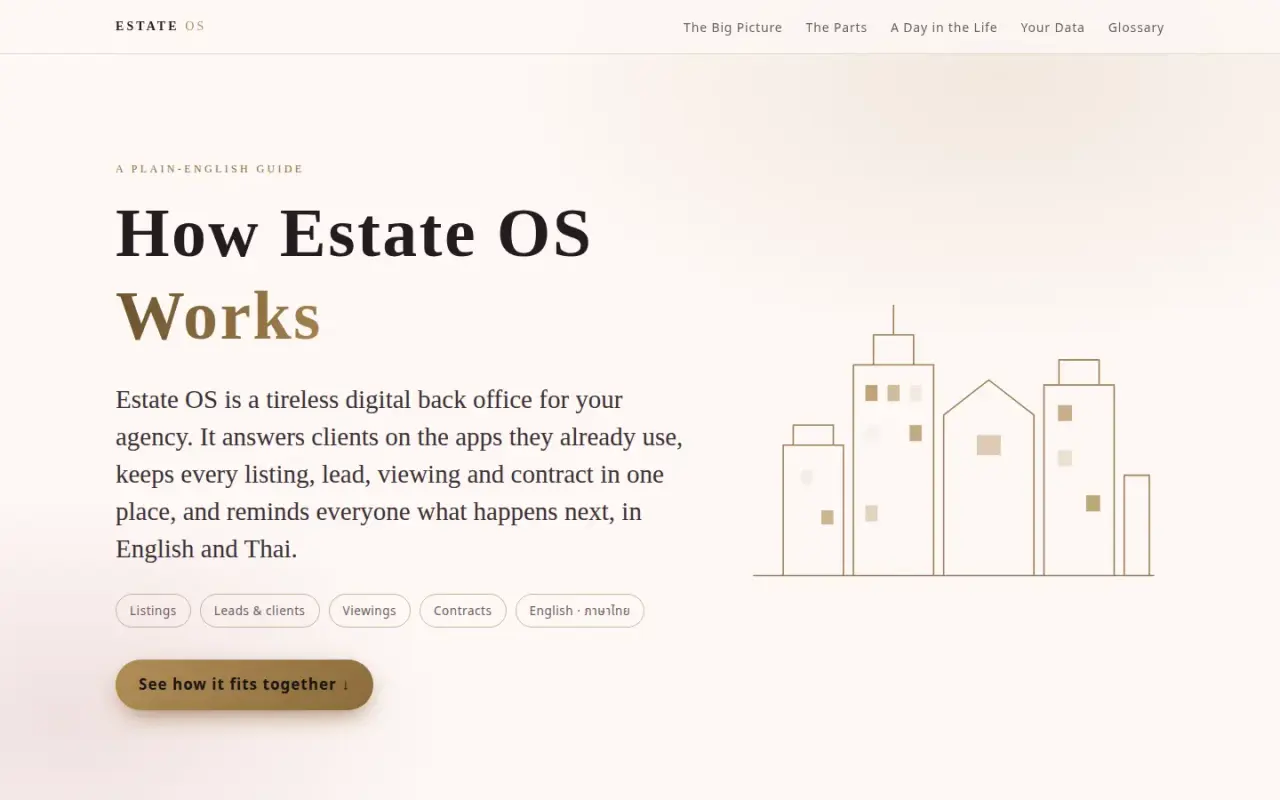
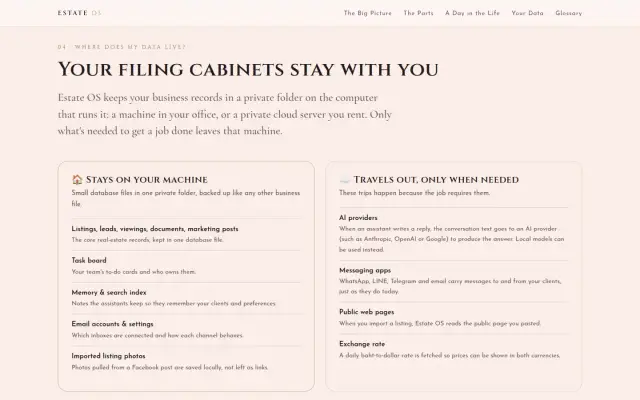
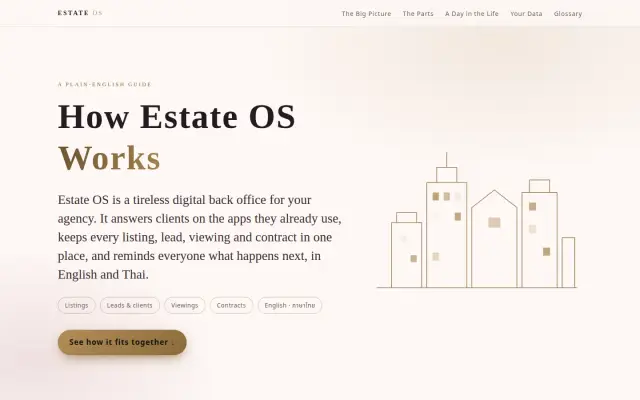
Estate OS guide opening screen
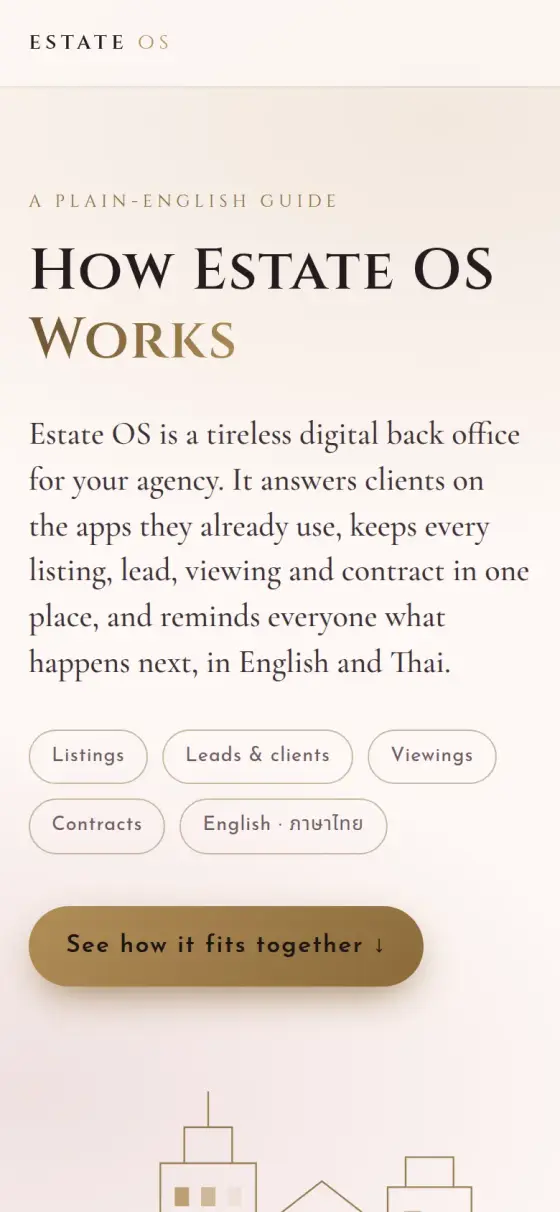
Estate OS guide on a phone
Estate OS
Who it is for
Real-estate brokerages in Thailand that work in English and Thai.
The problem
Listings, leads, viewings and contracts are spread across chat apps, spreadsheets, files and memory, and a general chatbot does not fix that.
What they get
One place that tracks each listing, lead, viewing and contract and makes the next step clear. It is in development, at version 0.1.0, so this describes the design, not client results.
7AI agents, including the Broker
4English and Thai contract templates
123 of 123Interface text in both languages
5Types of business record

The challenge

A brokerage's work is spread across chat apps, spreadsheets, contract files and memory. In Thailand that work also happens in two languages, on the apps clients already use, such as LINE. A general chatbot does not fix that. A brokerage needs one place where every listing, lead, viewing and contract is tracked, and where the next step is clear.

The system

Estate OS is built on the InfiniBot runtime and cut down to what a brokerage uses. We removed the coding agent and image tools, then added a real-estate domain layer, a purple, black and gold theme, Thai and English language support, and an agent team.

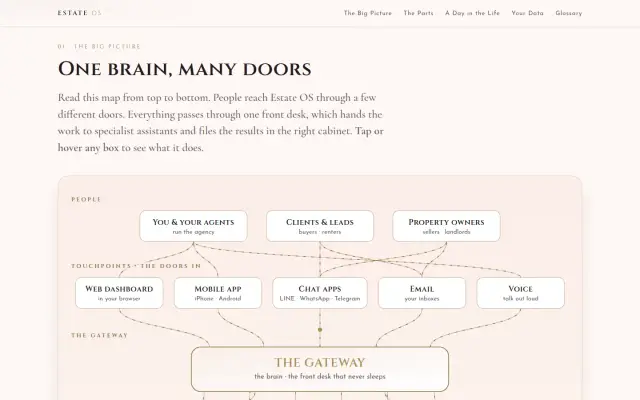
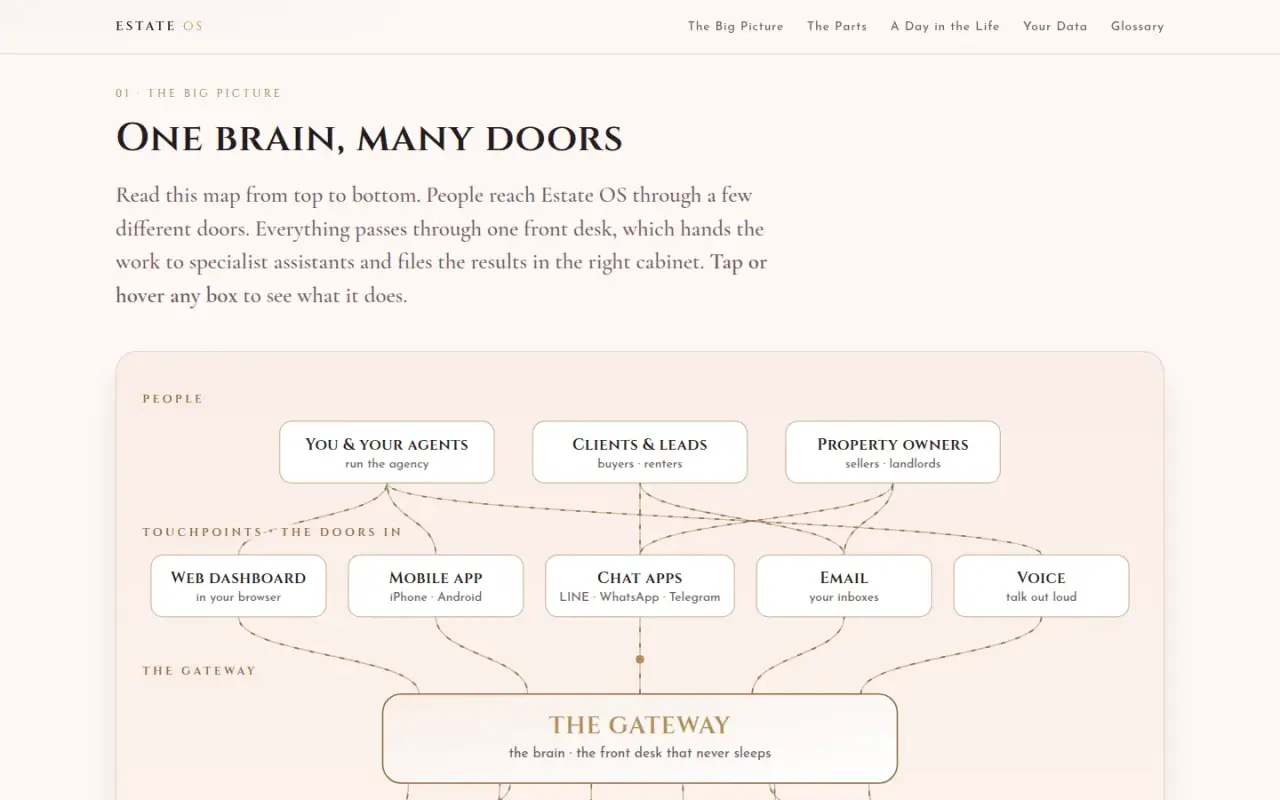
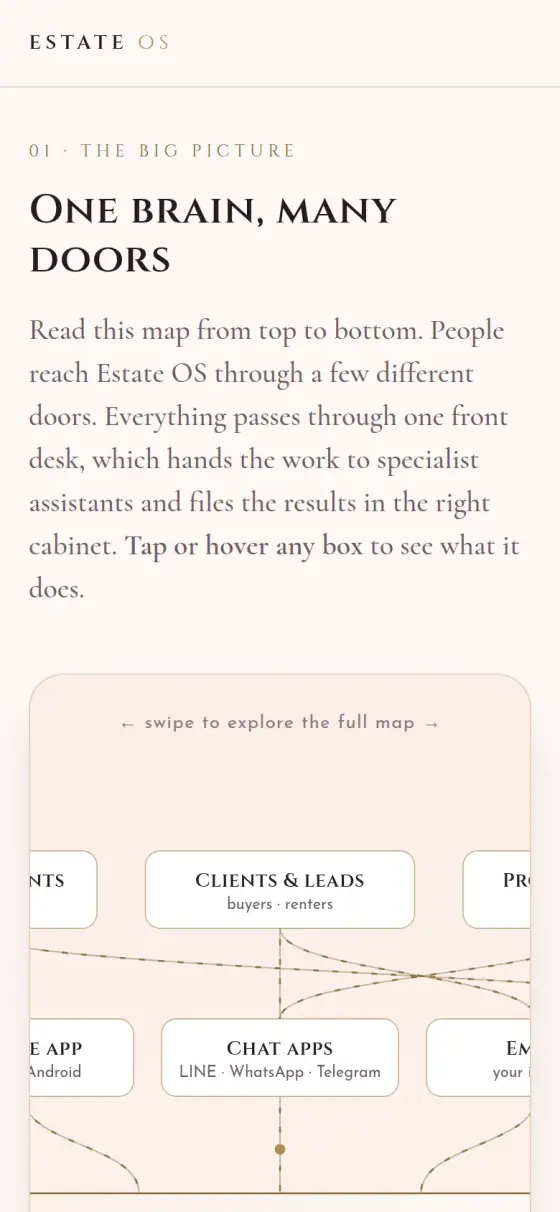
People reach the system through the web dashboard, the mobile app or chat channels (LINE, WhatsApp, Telegram). Every request passes through one gateway, an always-on process that routes the work. The gateway hands work to the Broker agent, which is the operator's main interface and delegates to six specialists: CRM, Listings, Showings, Concierge, Finance and Marketing. Each specialist owns one outcome.

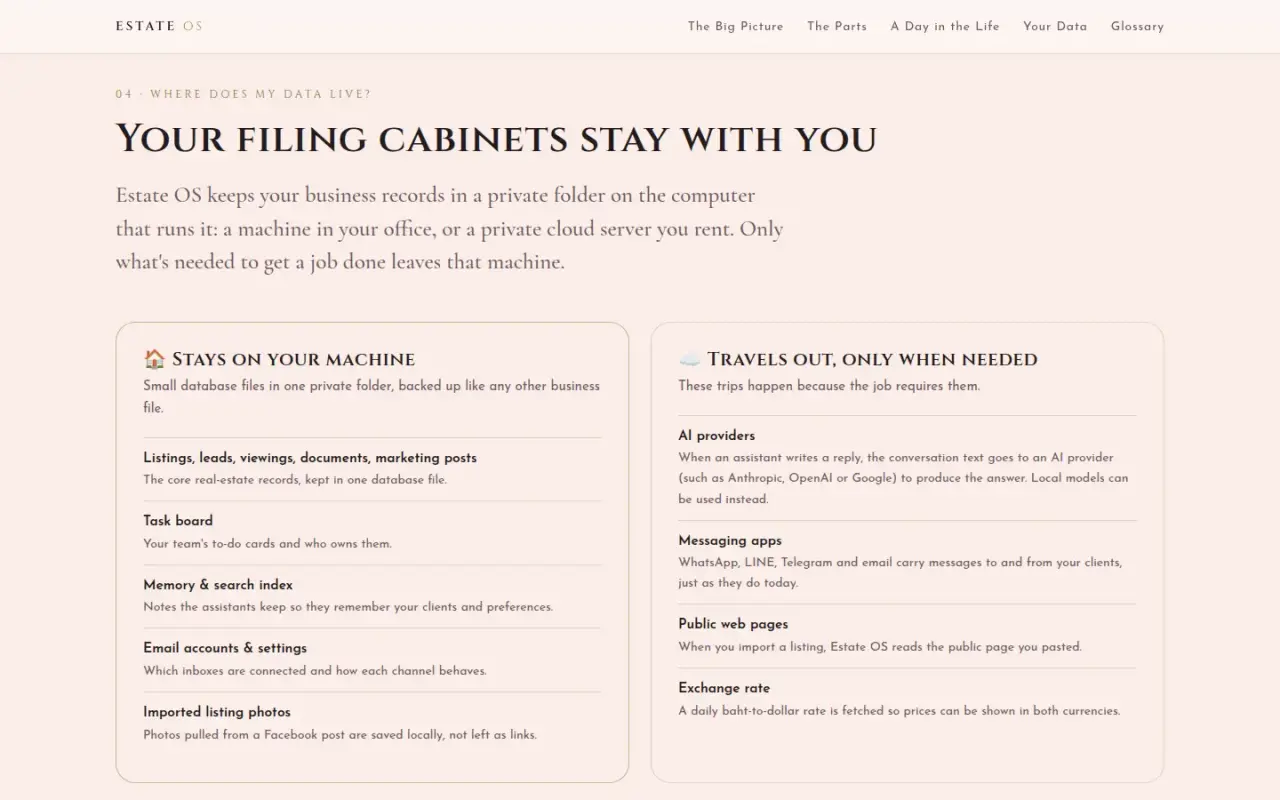
Records live in SQLite stores with five domain tables: listings, leads, appointments, documents and marketing posts. The gateway also serves key business numbers, those five record types, photo upload, listing import and the exchange rate. Agents use AI providers to write replies, and the system can use local models instead.

We also wrote a separate plain-English guide, "How Estate OS Works", so an agency owner can understand the system without a technical background. The screenshots on this page come from that guide.

Outcomes

These are build facts. We have no usage figures to report.

  • 7 AI agents: the Broker and six specialists
  • 4 bilingual contract templates
  • 123 of 123 interface strings present in both English and Thai
  • 5 types of business record

Step by step

How Estate OS works, step by step

This follows one enquiry through the design: a buyer asks about a condo on LINE. Estate OS is still in development, so this shows how it is built to work.

  1. A client sends a message

    What happens
    The message arrives from LINE, WhatsApp or Telegram. Staff can use the web dashboard or mobile app.
    Who or what does it
    The client or the agency's staff.
    Why it matters
    Clients stay on the apps they already use in Thailand.
  2. The gateway receives it

    What happens
    One always-on process receives every message and request and routes it.
    Who or what does it
    The gateway.
    Why it matters
    There is a single front desk, so a late-night enquiry is not left sitting in one person's phone.
  3. The Broker agent decides who handles it

    What happens
    The Broker agent is the operator's main contact. It passes each job to one of six specialists: CRM, Listings, Showings, Concierge, Finance or Marketing.
    Who or what does it
    The Broker agent.
    Why it matters
    Each specialist owns one outcome, so it is clear what happens next.
  4. A specialist does the task

    What happens
    For example, the viewing is tied to the client and listing, or a lead moves to its next stage. Agents can use AI providers, or local models, to write replies.
    Who or what does it
    The matching specialist agent.
    Why it matters
    Records stay in one place, not in someone's memory.
  5. The records update

    What happens
    Listings, leads, appointments, documents and marketing posts are stored in five tables, in a private folder on the machine that runs the system.
    Who or what does it
    The SQLite data stores on the office machine or private server.
    Why it matters
    Only what a job needs leaves that machine, such as message text sent to the chosen AI provider.
  6. New listings can be imported

    What happens
    Staff paste a Facebook post or listing link. The system reads its public details into a draft, saves the photos locally, and warns if the page is behind a login.
    Who or what does it
    Staff paste the link. The import tool does the rest.
    Why it matters
    Less retyping, with a draft a person can check.
  7. A person approves what matters

    What happens
    The guide's design rule is that contracts and public posts wait for a person to approve them. Finance, Listings and Marketing agents are instructed not to change commissions, asking prices or ad spend without the Broker agent's approval.
    Who or what does it
    The agency's staff and the Broker agent.
    Why it matters
    AI can prepare the work, while important decisions stay controlled.

Architecture

How the system fits together

01 / 06 People

  • Agents, clients, ownersEveryone who deals with the agency.→ Web dashboard → Mobile app → LINE, WhatsApp, Telegram

02 / 06 Ways in

  • Web dashboardListings, clients and contracts in a browser.→ Gateway
  • Mobile appThe same system on a phone.→ Gateway
  • LINE, WhatsApp, TelegramChat apps clients already use.→ Gateway

03 / 06 The front desk

  • GatewayAlways-on program that routes every message.→ Broker agent → Public listing pages · listing import

04 / 06 The AI team

  • Broker agentMain contact. Passes work to six specialists.→ CRM, Listings, Showings, Concierge, Finance, Marketing · delegates
  • CRM, Listings, Showings, Concierge, Finance, MarketingEach one owns a single outcome.→ SQLite stores → AI providers or local models

05 / 06 Records on your machine

  • SQLite storesListings, leads, appointments, documents and posts.

06 / 06 Outside services

  • AI providers or local modelsWrite replies. Local models can replace outside ones.
  • Public listing pagesPublic pages read during a listing import.
What stays on the agency's machine and what leaves it.

Key features

  • Listings with separate sale and rent prices, photos and neighborhood tags
  • Lead pipeline with stages
  • Appointments and viewings tied to clients and listings, with an editor for title and notes
  • Four bilingual contract templates: sale, rental, offer letter and listing agreement
  • Listing import: paste a Facebook post or listing page link, and the system reads its public metadata into a draft, saves the photos locally, and warns when a page is behind a login
  • Prices shown in baht and US dollars, using a rate cached for 12 hours
  • Live English and Thai switch with no reload
  • Expo mobile app that connects to the same gateway

Delivery

The repository holds three commits. The first, on 13 August 2026, brought in the runtime with the theme, real-estate navigation, Facebook listing import, dual pricing, the mobile app and a Thai translation repair. A second commit the same day adjusted the sidebar and listing cards. On 24 September 2026 we added appointment titles, notes, deletion and an editor, and reworked the clients view.

Security & infrastructure

Estate OS keeps business records in database files in a private folder on the machine that runs it, either in the office or on a private cloud server. Only the data needed for a job leaves that machine: conversation text to the chosen AI provider, messages to chat apps, public pages during import, and an exchange-rate request. Finance, Listings and Marketing agents are instructed not to change commissions, asking prices or ad spend without the Broker agent's approval. The guide's design rule is that contracts and public posts wait for a person to approve them.

Limits

Estate OS is at version 0.1.0 and has no public deployment. The application sits behind sign-in, so this page shows the guide and not the application screens.
Built with

The tools behind it

For technical readers, here is what it runs on. Tap a name to highlight it. The words explained below appear across this page.

What these words mean

Agent
An AI helper with one job.
Gateway
The always-on program that routes every message.
Lead pipeline
The stages a possible client moves through.
SQLite
A database kept as a simple file on one machine.
KPI
A key number that shows how the business is doing.
Runtime
The base software a product runs on.

Screens

The real thing

Estate OS guide opening screen
The plain-English guide we wrote for agency owners. The application itself sits behind sign-in.
System map with people, touchpoints and gateway
The system map: people reach Estate OS through several doors and one gateway.
Comparison of data stored locally and data sent out
What stays on the agency's machine and what leaves it.
Estate OS guide on a phone
The guide on mobile.
System map on a phone
The map scrolls sideways on small screens.
100%

Tell us what your business needs to run on.

Answer a few questions and send them to us. We will tell you what we would build, and what you do not need.