Who it is for
Businesses that sell, book or run memberships online, and founders launching a subscription product.
Home / Capabilities / Full-Stack Development
Capability 02
For businesses whose website has to do real work. If yours only shows information while sales, sign-ups and admin happen by hand, we build the whole platform and test it the way your customers will use it.
Businesses that sell, book or run memberships online, and founders launching a subscription product.
A nice-looking site that stops at a contact form leaves your team doing the rest by hand, and stitched-together plug-ins can break at checkout.
A live platform with accounts, payments and an admin area your staff can use, built and tested by one team.
What we build
Sign-in, plans and member areas, where each customer sees what they have paid for and nothing else.
Online ordering and shops on hosted checkouts, with prices held on the server so a browser cannot change them.
Courses, progress tracking, communities and members-only content.
Software you sell by subscription, with plans, billing, usage tracking and an admin console.
Client portals and internal dashboards that put live numbers on one screen.
Pages built to load fast, be found in search and work for everyone, attached to the real product.
Sample architecture
What the customer sees and taps. This sample form sends only the item chosen, never a price.
checkout.astro
<form method="post" action="/api/checkout">
  <input type="hidden" name="item" value={id} />
  <button>Pay securely</button>
</form>Where your rules run, out of the customer’s reach. This sample looks the price up in your own list.
checkout.ts
const item = catalogue[body.item];
// The server sets the price, never the browser
return checkout.create({ amount: item.price });Where records are kept. This sample rule tells the database to show customers only their own orders.
orders.sql
alter table orders enable row level security;
create policy "own orders" on orders
for select using (auth.uid() = user_id);Where the platform lives online. This sample setting sends server requests to the right place.
netlify.toml
[[redirects]]
  from = "/api/*"
  to = "/.netlify/functions/:splat"
status = 200The diagram, step by step
Picture a sample pottery studio selling class passes online. Pick a layer in the panel above to see its parts and a short piece of sample code. The steps below follow one customer buying one pass.
Commerce and ordering
Online ordering and shops on hosted checkouts, with prices held on the server so a browser cannot change them.
<article class="order">
  <h3>Your order</h3>
  <Line item="Sample item" />
  <button>Pay securely</button>
</article>
.order { border-radius: 18px; }
.order button {
background: var(--gold);
}const { total } = await api.quote(cart);
render(total); // priced on the serverSample item$24.00
Total$24.00
Pay securelyHow to read this demo
The left side shows sample code and the right side shows what a customer would see. Pick a stage or press Replay. No real payment happens here. The item and price are made up.
Process
We work out who uses it, what they pay for, and what has to be true on launch day.
We plan the sign-up, purchase and admin journeys, screen by screen, before any styling.
We build the database, server rules, payments and front end, and put them on a private preview link.
Scripted browser tests click through the real paths. Then we launch and watch how it runs.
The stack
We pick for your system. These are what we work with most in this area.
You do not need to know these names. In plain terms: React, Next.js and Astro build the pages, Node.js and TypeScript run the server, Postgres and Supabase store the records, Clerk handles sign-in, Stripe, Square and Whop take payment, Netlify and Fly.io host it, and Puppeteer runs our automated browser tests.
Deliverables
Related work
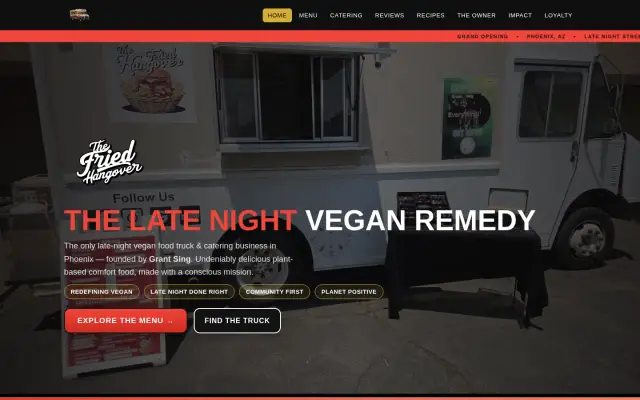
Three disconnected codebases merged into one live platform for a Phoenix vegan food truck: online orders, a music and goods shop, loyalty, reviews and one safe checkout.
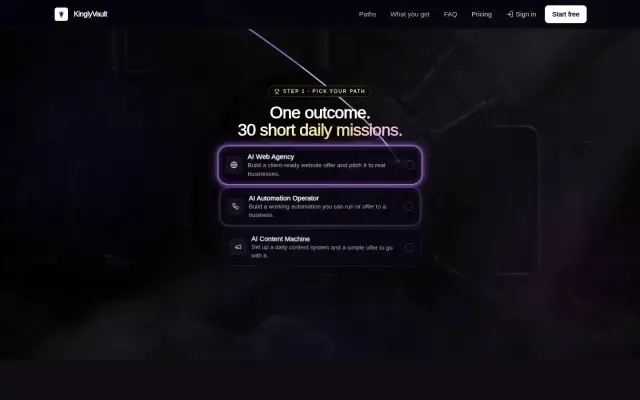
A membership platform for AI courses, tools and community that links safely to each member's own InfiniBot, with no network ports to open.
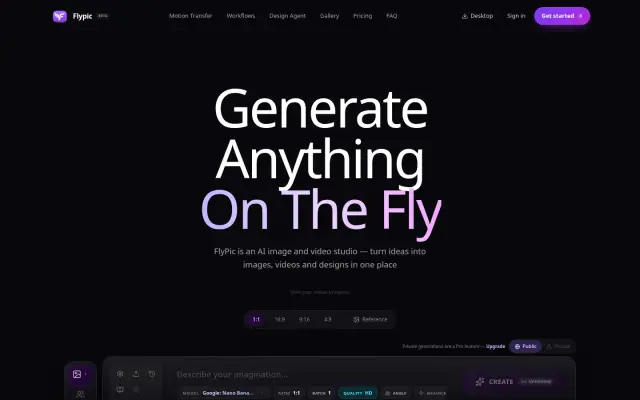
An AI image and video studio where every job runs on the user's own provider account, with long jobs finished safely in the background.
FAQ
The one that fits. Simple platforms use pre-built pages with small server functions. Full products use Next.js or React with a Postgres database. We pick for your needs and for how easily it can be maintained.
Card details stay on the provider’s hosted checkout. Prices are calculated on the server from a trusted list, and payment confirmations are checked by signature before an order is trusted.
Yes. We start with a technical review so you know what state it is in, then fix, extend or migrate it.
Yes. InfiniBot has a companion mobile app built with Expo and React Native, and we can build the same way for your product.
Answer a few questions and send them to us. We will tell you what we would build, and what you do not need.