Kingly IntelligenceSystems Start a project

Home / Work / FlyPic

Generative media software

One studio for AI image and video work, running on the user's own provider keys.

An AI image and video studio where every job runs on the user's own provider account, with long jobs finished safely in the background.

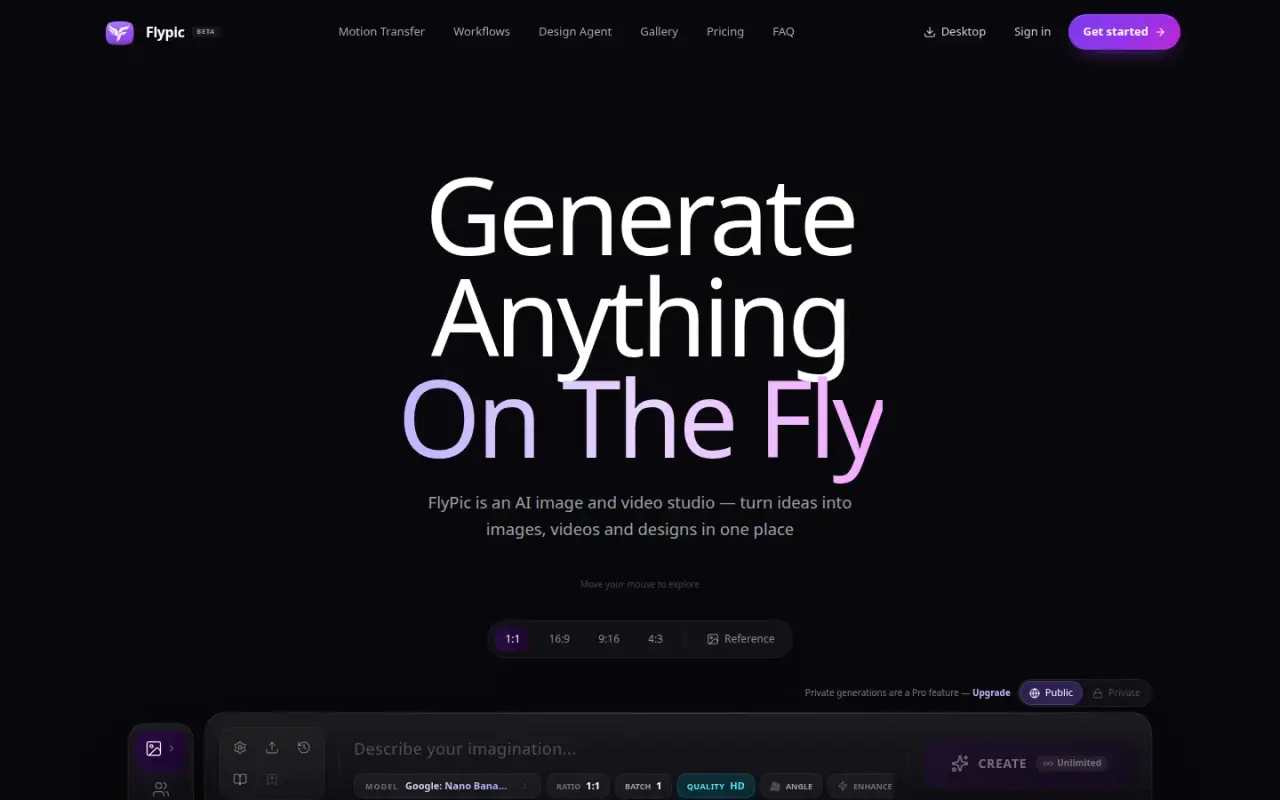
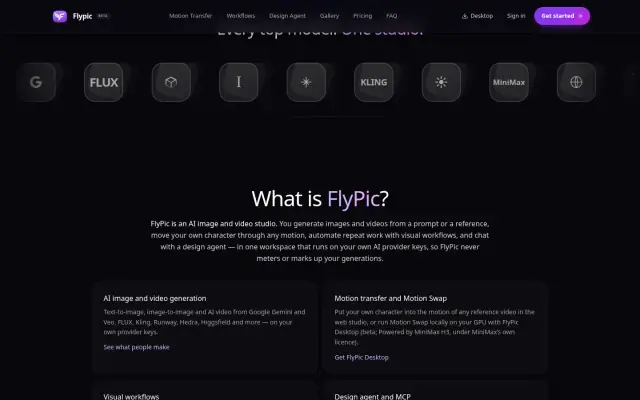
FlyPic home page with prompt bar
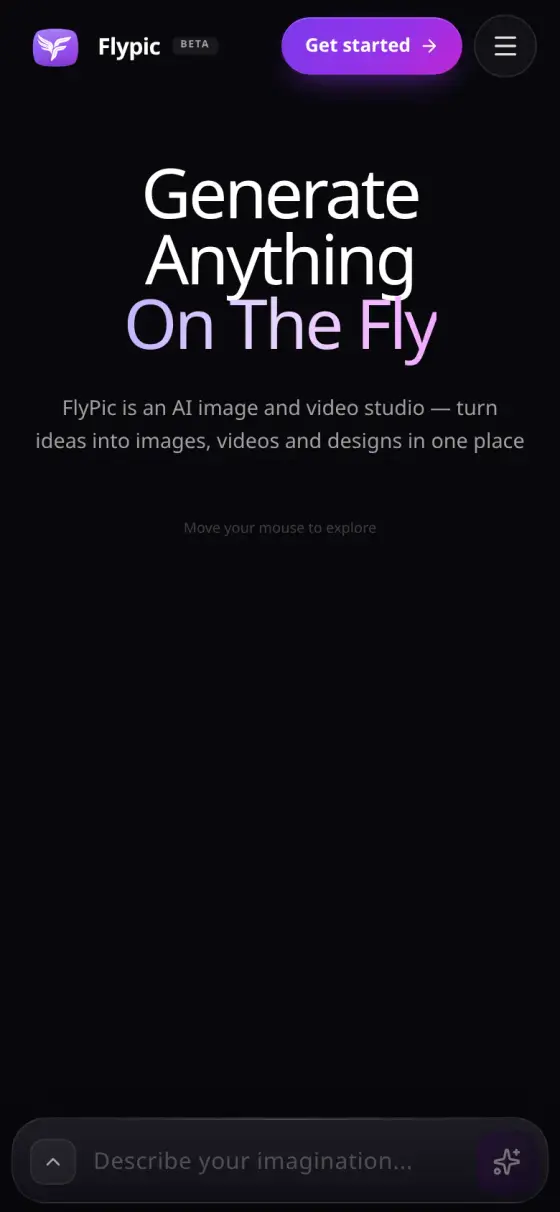
FlyPic home page on a phone
FlyPic
Who it is for
Creators and teams who make AI images and video, and AI agents working on their behalf.
The problem
Each AI model has its own provider, account and rules. Many studios resell usage as credits that hide the real cost, and long video jobs can outlast a web request.
What they get
One studio from first image to finished video. You use your own AI provider accounts, pay those providers directly, and long jobs finish in the background.
Liveflypic.ai, labelled Beta on the site
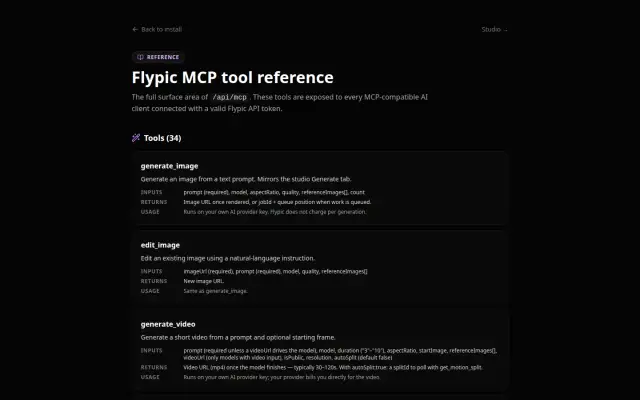
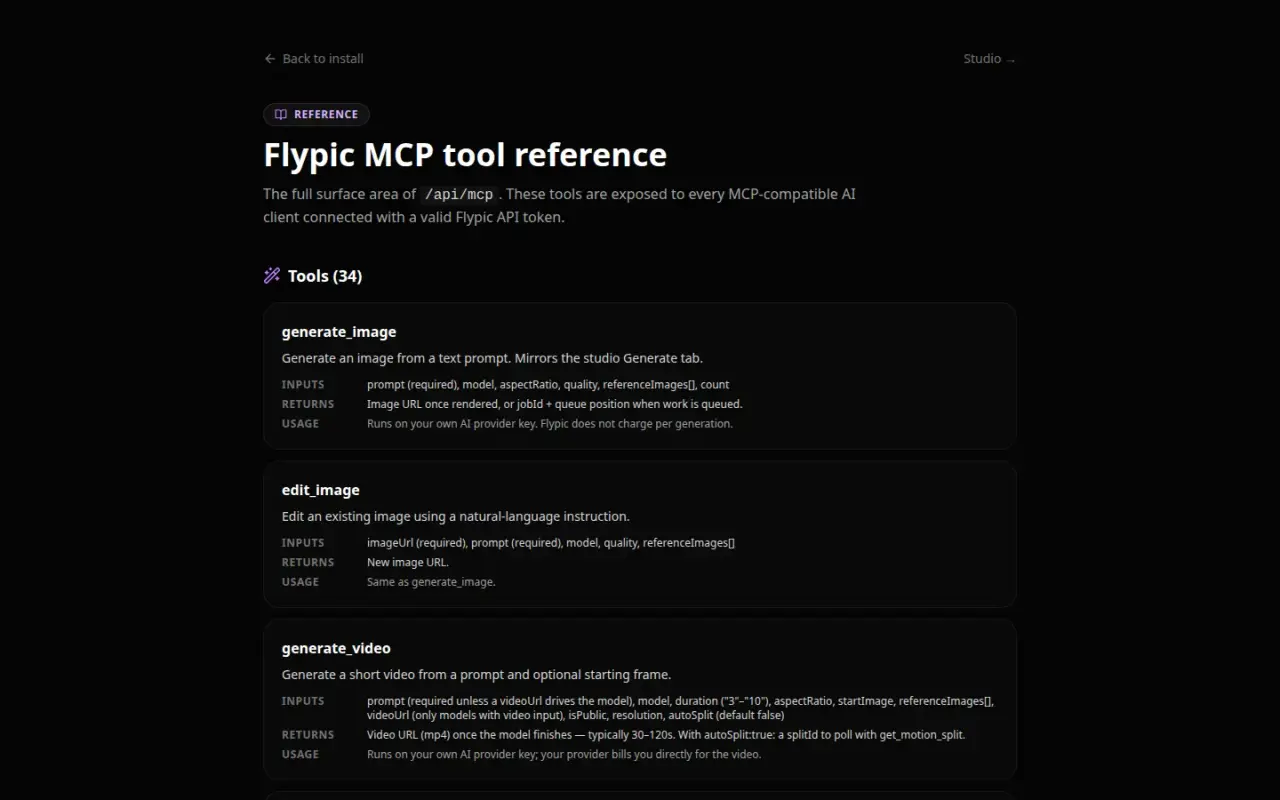
34Tools AI agents can use, in the public reference
40AI models listed on 2026-10-30: 25 video, 13 image, 2 text
15AI providers you can connect with your own account
336Server endpoints on the release branch

The challenge

AI media work is scattered. Each image, video and motion model has its own provider, account and input rules, and most studios resell usage through credits that hide what a generation really costs.

We wanted one studio that covered the whole job, from a first image through to a finished video, and that fit the way creators and agents actually work. Long video jobs also made a technical problem unavoidable: a provider can take many minutes, far longer than a web request should stay open.

The system

FlyPic is a large web application: 336 server endpoints and 96 types of stored record on the release branch.

Pure bring-your-own-key. Every AI job runs on the signed-in user's own provider key, and the provider bills them directly. Plans cover features, not usage. If a job needs a provider with no saved key, the request is refused with a specific error and the client opens a guided setup. The provider catalogue covers 15 providers, including OpenRouter, Replicate, Google Gemini, ElevenLabs, fal.ai, Kling, Runway and Google Veo.

Durable jobs. No web request waits for a provider to finish. FlyPic checks the request, saves a job record, makes one provider call and immediately returns a job number. A background task runs every minute to finish jobs and deliver results.

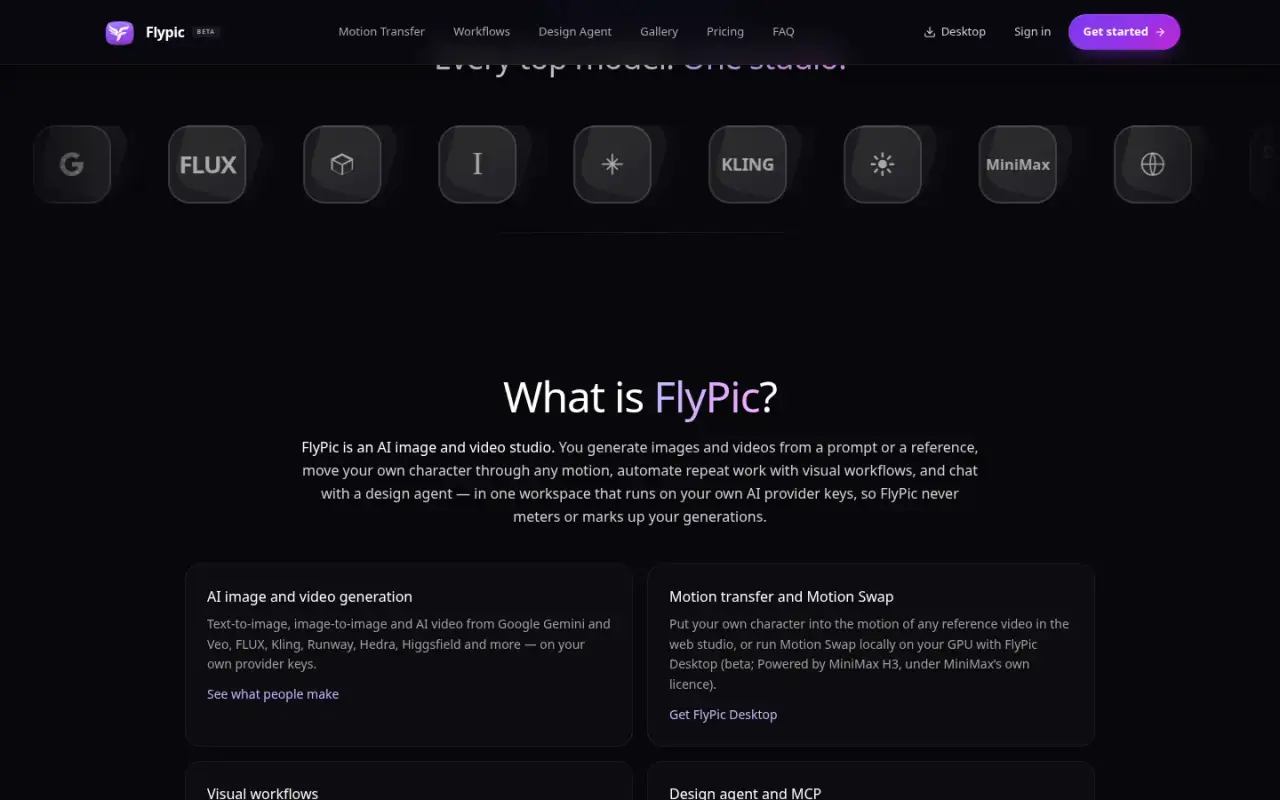
Studios. The app groups generation, editing, motion transfer, storyboards, a node-based workflow builder, a timeline video editor and a 3D studio on top of the same model catalogue, library and job system.

Agent access. FlyPic runs its own MCP server, which gives AI agents 34 tools in the public reference, and its own secure app-approval service (OAuth 2.1). That lets AI clients generate, wait for jobs and use the library through the same services as the studio. The same layer serves an API for a Premiere Pro panel and the InfiniBot plugin.

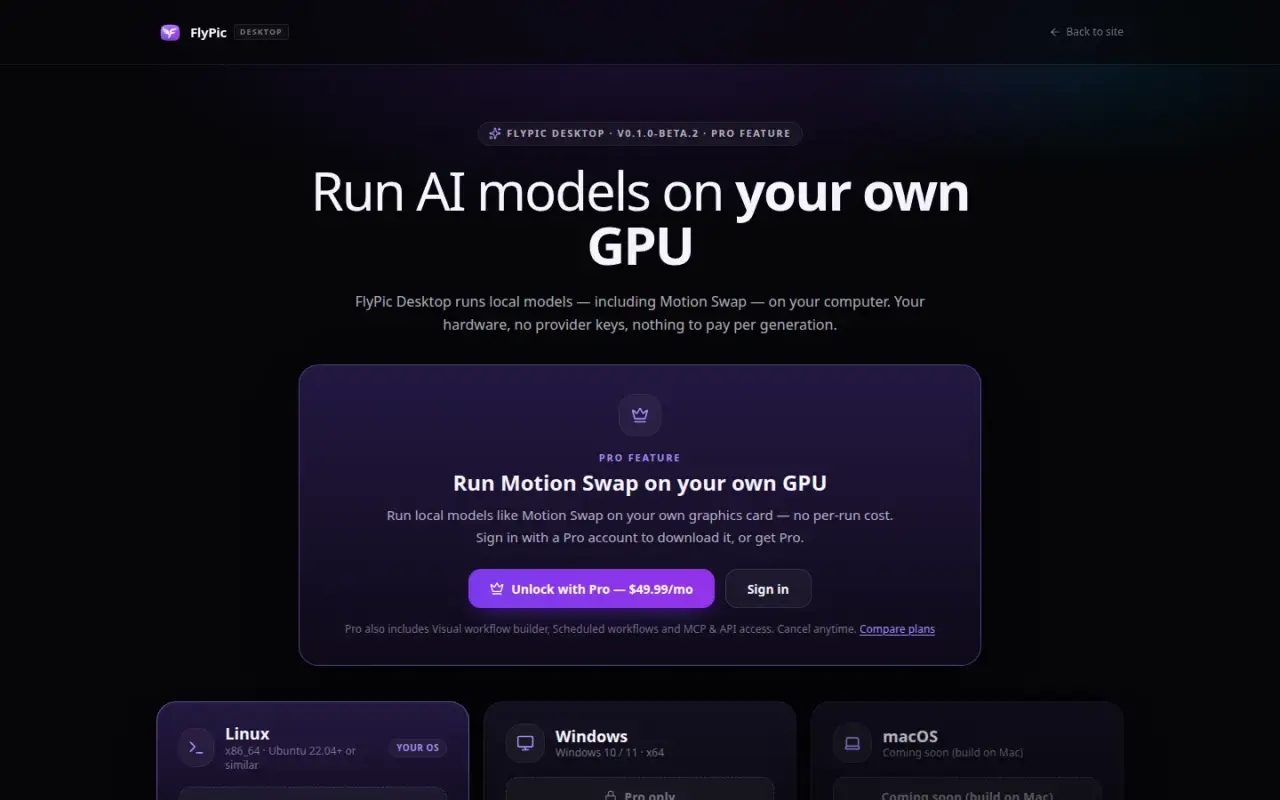
Desktop. FlyPic Desktop, in beta, packages ComfyUI, a tool for running AI models locally, as a desktop app. It sets up models and workflows so that supported jobs can run on the user's own GPU.

Outcomes

  • Live public product at flypic.ai
  • 34 MCP tools in the public reference
  • 40 models in the public catalogue on 2026-10-30
  • 15 providers in the bring-your-own-key catalogue
  • 336 API route files, 96 database models and 130 test files on the release branch

Step by step

How FlyPic works, step by step

This follows one video request, from the moment a creator presses generate to the finished clip in their library.

  1. A request comes in

    What happens
    A creator uses the web studio, or a request arrives from an AI agent, the Premiere Pro panel or the InfiniBot plugin.
    Who or what does it
    The creator or their connected tool.
    Why it matters
    Every route uses the same services, so work made anywhere lands in the same library.
  2. The plan and key are checked

    What happens
    FlyPic checks that the plan includes the feature and that a key for the needed provider is saved. If not, it refuses with a specific error and opens a guided setup.
    Who or what does it
    FlyPic's plan and key gate.
    Why it matters
    Plans cover features, not usage. The creator gets a clear next step in place of a failed job.
  3. The job is saved first

    What happens
    The request is saved as a job record, one call goes to the provider, and the browser gets a job number straight away.
    Who or what does it
    FlyPic's server.
    Why it matters
    No web page has to wait for a video. This fixed a real failure in October 2026, when a long job timed out and the user retried, so the provider ran both on the user's own account and neither result reached their feed.
  4. The provider does the work

    What happens
    The job runs on the provider the creator chose, using their own key, or on their own graphics card through FlyPic Desktop where supported.
    Who or what does it
    The user's AI provider, or FlyPic Desktop (beta).
    Why it matters
    The provider bills the creator directly, so there is no hidden credit markup.
  5. A background job finishes it

    What happens
    Every minute, a background task checks open jobs, finishes them and delivers results.
    Who or what does it
    FlyPic's background drain.
    Why it matters
    The creator can close the tab. The rebuilt flow was tested against a 12-minute job and several drains running at once.
  6. The result lands in the library

    What happens
    The finished file is saved to storage and appears in the creator's library, ready to reuse as a reference.
    Who or what does it
    FlyPic's storage and library.
    Why it matters
    Each result can start the next piece of work, such as a storyboard or timeline edit.

Architecture

How the system fits together

01 / 04 Where requests start

  • Web studioGenerate, edit, motion, workflows, editor and 3D.→ Plan and key gate
  • MCP clientsAI agents using 34 public tools.→ Plan and key gate
  • Premiere Pro panel APIAdobe Premiere panel, approved by secure sign-in.→ Plan and key gate
  • InfiniBot pluginUse FlyPic from inside InfiniBot.→ Plan and key gate

02 / 04 FlyPic's controls

  • Plan and key gateChecks the plan and that the needed key is saved.→ Durable jobs · creates job
  • Durable jobsSaves each job so no web page has to wait.→ User's AI providers · user's key → FlyPic Desktop · where supported → PostgreSQL · job state

03 / 04 Where the work runs

  • User's AI providers15 providers, billed to the user directly.
  • FlyPic DesktopRuns jobs on the user's own graphics card (beta).

04 / 04 Where results live

  • Object storage and libraryFinished files, ready to reuse.
  • PostgreSQLJob records and app data.
The public MCP reference lists 34 tools.

Key features

  • Image and video generation across a shared model catalogue (40 models listed publicly on 2026-10-30: 25 video, 13 image, 2 text)
  • Motion transfer onto a chosen character
  • Character and reference management
  • Visual workflow builder and scheduled workflows
  • Design agent
  • Storyboard studio
  • Timeline video editor with durable render jobs
  • 3D model generation and viewer
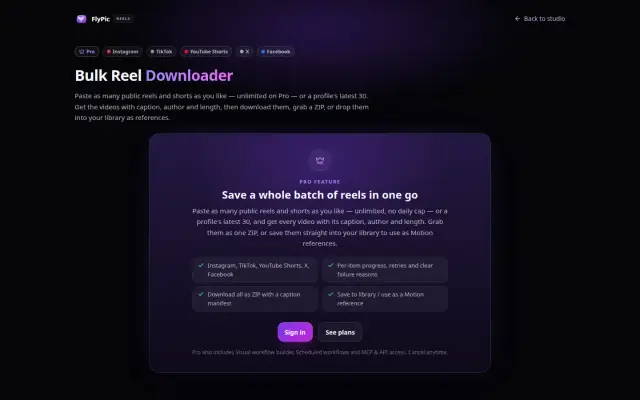
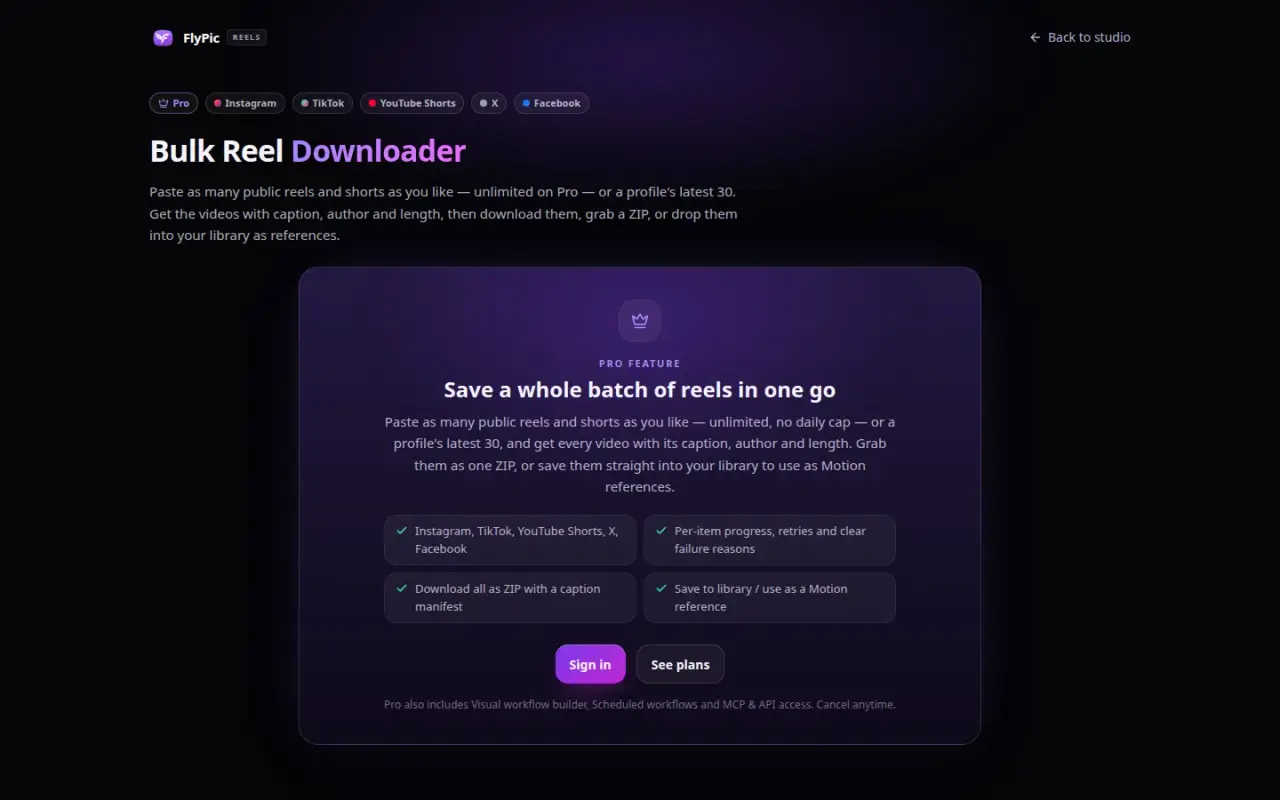
  • Bulk reel downloader
  • MCP server and OAuth for AI clients
  • Premiere Pro plugin API
  • Desktop app for local generation (beta)
  • Public status page, help centre and support tools

Delivery

The first commit is dated 2025-12-27. The release branch has 693 commits, and its latest commit in this repository is dated 2026-10-21, covering the timeline editor and the Premiere Pro API.

The durable job system came out of a real production failure in October 2026. A long video job was polled inside the web request, so the request timed out while the provider kept working. The user retried, and the same thing happened again. The provider ran both jobs on the user's own account, and neither result reached their feed. We rebuilt the flow so that no request waits on a provider, and tested it against a 12-minute job and concurrent drains.

The repository tracks 130 test files.

Security & infrastructure

  • Stored keys. User provider keys are encrypted, each with its own fresh random starting value.
  • Authentication. Clerk handles user sign-in. MCP uses per-user API tokens.
  • Connected apps. Approval passes expire after 1 hour, and the 30-day renewal passes change on each use. Reusing an old one cancels the approval, and users can revoke an app themselves.
  • Admin controls. An admin audit log is part of the schema. The editor's server terminal is off by default and admin-only even when enabled.
  • Monitoring. Sentry for errors, plus a public status page.
  • Hosting. Fly.io for the app, a Postgres database, and cloud file storage.

Limits

  • The product is labelled Beta, and FlyPic Desktop builds are unsigned betas.
  • Some editor features (caption transcription, speech and voice intent) were still documented as using platform keys rather than user keys at the 2026-10-21 release.
Built with

The tools behind it

For technical readers, here is what it runs on. Tap a name to highlight it. The words explained below appear across this page.

What these words mean

Bring your own key (BYOK)
You connect your own account with an AI provider, using a private key it gives you.
Provider
The company that runs an AI model, such as Runway or Kling.
MCP
A standard way for AI agents to use outside tools.
OAuth
A way to approve an app without handing over your password.
GPU
A graphics chip, the part of a computer that runs AI models fast.
ComfyUI
A free tool for running image and video models on your own computer.
API
A set of addresses programs use to talk to a server.

Screens

The real thing

FlyPic home page with prompt bar
The FlyPic public home page and prompt bar.
FlyPic overview section listing product areas
The product areas on one page.
FlyPic MCP tool reference
The public MCP reference lists 34 tools.
FlyPic bulk reel downloader page
The bulk reel downloader, a Pro feature.
FlyPic Desktop download page
FlyPic Desktop runs local models on the user's own GPU (beta).
FlyPic home page on a phone
The same page on a phone.
100%

Tell us what your business needs to run on.

Answer a few questions and send them to us. We will tell you what we would build, and what you do not need.