Kingly IntelligenceSystems Start a project

Home / Work / The WorkStation

Coworking and education center

From payment or receipt photo to a personal door code by email.

Automatic onboarding for a 24/7 Pattaya coworking space: a payment or receipt photo goes in, and a member ID and door pass come out by email.

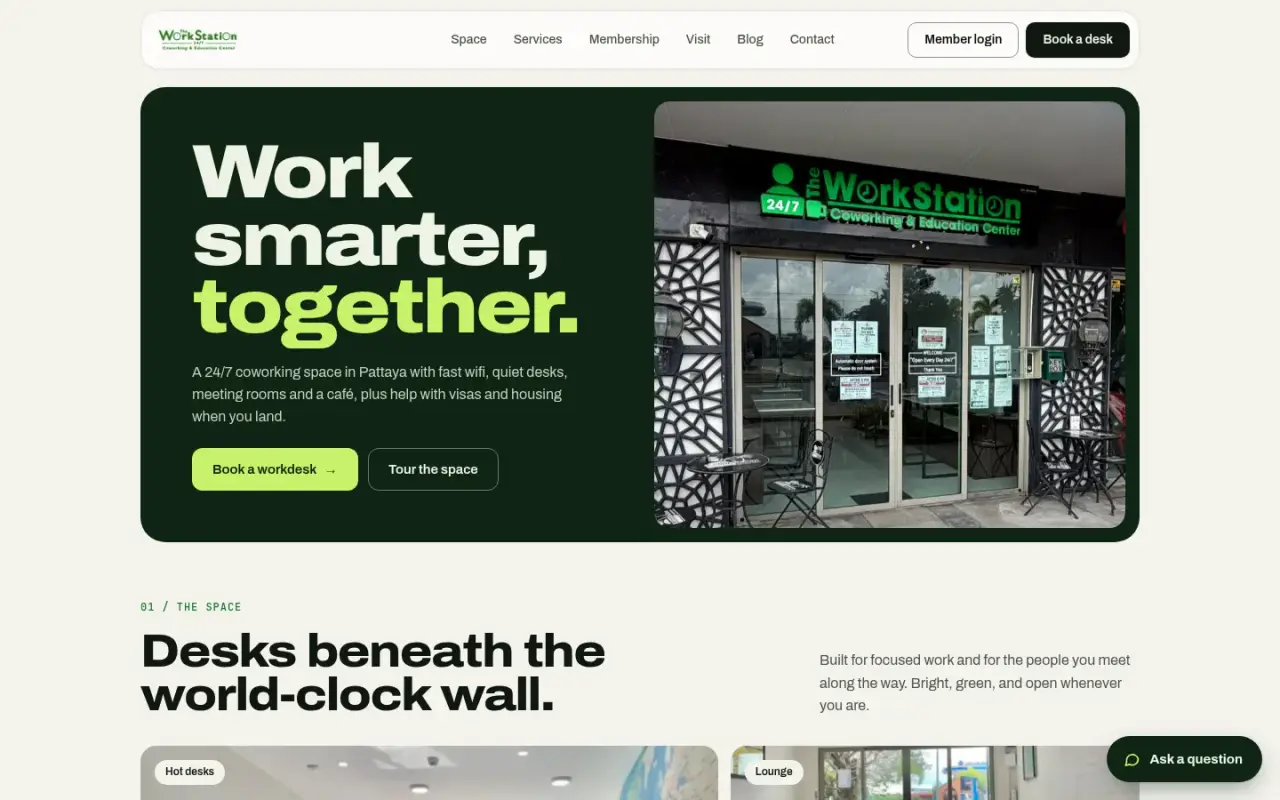
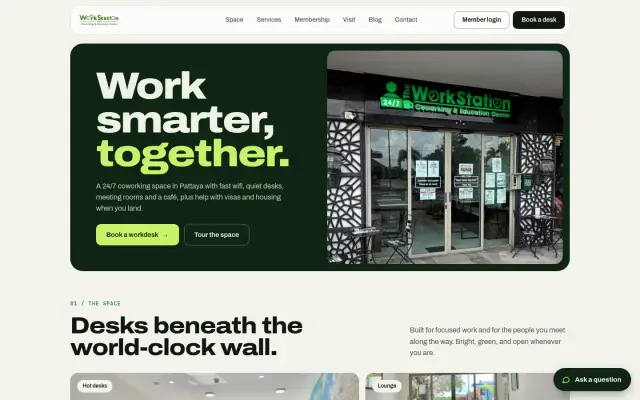
The WorkStation home page
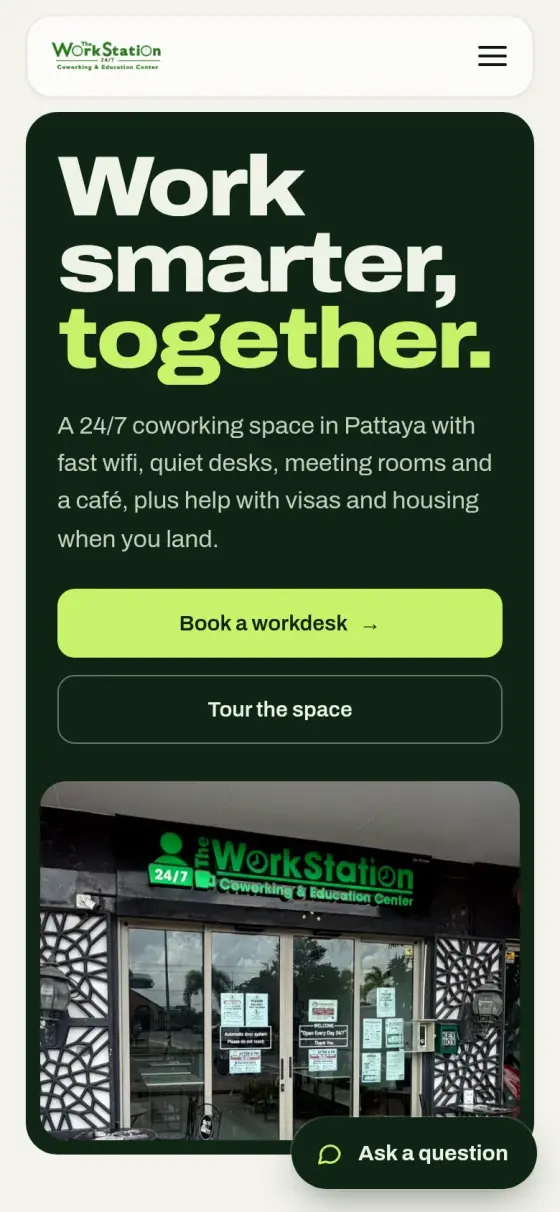
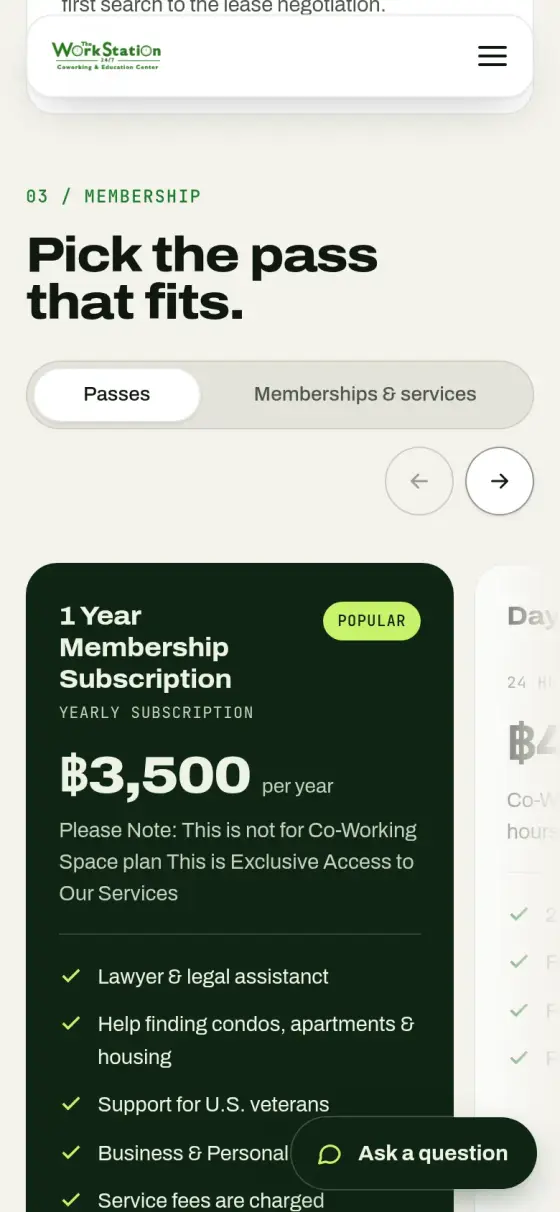
The WorkStation home page on a phone
The WorkStation
Who it is for
Coworking spaces and other venues where a sale must end with someone getting access.
The problem
Every pass sale must end with the right person holding the right door code, whether they paid online or at the desk. By hand, that is slow and easy to get wrong.
What they get
A payment or receipt photo goes in, and a member ID and pass come out by email, with till records and an admin inbox updated along the way.
35Database tables
3Automatic flows: membership form, Square purchase and receipt scan
30Automated backend tests
OnlineBackend health check passed on 2026-10-30

The challenge

The WorkStation is a 24/7 coworking space where members get into the building with a personal code. Every pass sale has to end with the right person holding the right code. Sales happen online by card and in person at the front desk. Each sale also has to reach the point-of-sale system and the admin inbox. Doing this by hand is slow and easy to get wrong, and a member who is standing at the door cannot wait.

The system

We rebuilt the back end around two services that share one Neon Postgres database and one login. Small Netlify programs handle admin records and public content. A service on Fly.io, built with FastAPI, handles payments, receipt scans and links to outside systems. This replaced an older flow built on n8n, Airtable and Supabase.

Online sales and front-desk sales take different routes in, then share the same supply of codes.

Outcomes

These are build facts. We do not publish member or revenue figures.

  • 35 database tables
  • 3 named pipelines: membership form, Square purchase and receipt scan
  • 30 automated backend tests
  • Backend health check passed on 30 October 2026

Step by step

How The WorkStation works, step by step

There are two ways in. An online buyer starts at step 1, and a front-desk buyer starts at step 2. Both meet at step 3, and share the same supply of codes.

  1. Online: Square reports the payment

    What happens
    The buyer pays through Square, and Square sends a signed message to our service. The pipeline fetches the full payment and skips any payment it has already handled.
    Who or what does it
    Square, then the FastAPI service on Fly.io.
    Why it matters
    A repeated message cannot issue a second code or a second charge record.
  2. At the desk: the buyer sends a receipt photo

    What happens
    The buyer uploads a photo of their receipt. The photo is fingerprinted to catch duplicates, then a vision model checks it. By default it is approved unless the model is highly confident it is not a receipt. Uncertain results carry a flag for staff.
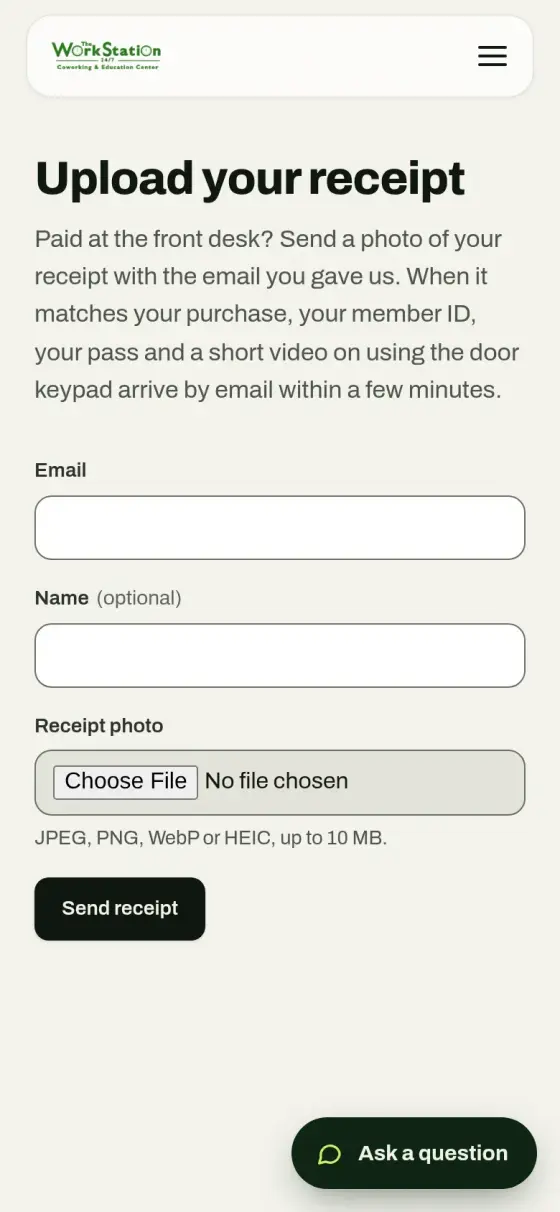
    Who or what does it
    The buyer, then Gemini or OpenAI vision, with staff reviewing flags.
    Why it matters
    A member at the desk does not wait for manual checking, and the same receipt cannot easily be used twice.
  3. A code comes from the ID vault

    What happens
    The system works out the plan's expiry and takes a member ID and pass from the vault, a pool of codes marked unused, reserved, used or retired. A rejected receipt releases any reserved code.
    Who or what does it
    The ID vault.
    Why it matters
    No code goes to two people, and a low-stock warning shows when the pool runs short.
  4. The till system is updated

    What happens
    The service creates a receipt in Loyverse, the point-of-sale system, and matches the customer even when details differ slightly. It converts between US dollars and baht and updates the customer record.
    Who or what does it
    The FastAPI service and Loyverse.
    Why it matters
    Sales records match without staff re-entering them.
  5. Emails go out

    What happens
    Emails are queued to the buyer and the admin inbox. The site tells buyers their member ID, pass and a short video on the door keypad arrive by email.
    Who or what does it
    The email queue, sending through Gmail.
    Why it matters
    The member gets what they need to walk in, and the admin team sees each sale.
  6. Staff can see and control it

    What happens
    Each run shows a step-by-step timeline with replay. Admins also have a webhook log, a global kill switch and a pause for each pipeline.
    Who or what does it
    Staff, in the admin panel.
    Why it matters
    If something goes wrong, they can see where, stop it and run it again.

Architecture

How the system fits together

01 / 05 People

  • Online buyerBuys a pass by card.→ Square checkout
  • Front-desk buyerPays in person, then sends a receipt photo.→ Receipt upload page
  • Member receives codeGets their ID, pass and keypad video.

02 / 05 Outside services

  • Square checkoutTakes card payments.→ FastAPI service · signed webhook
  • Vision AI checkGemini or OpenAI checks the receipt photo.
  • Loyverse POSThe till system, kept in step.

03 / 05 Screens

  • Receipt upload pageWhere a desk buyer sends the photo.→ FastAPI service
  • Admin panelStaff tools for members, plans and payments.→ Neon Postgres

04 / 05 Automation

  • FastAPI serviceRuns the automatic steps for each sale.→ Vision AI check · receipt photo → ID vault · allocate → Loyverse POS · receipt + customer
  • Email queueSends to the buyer and admin inbox.→ Member receives code

05 / 05 Stored records

  • ID vaultPool of member IDs and pass values.
  • Neon PostgresMembers, plans, payments and logs.
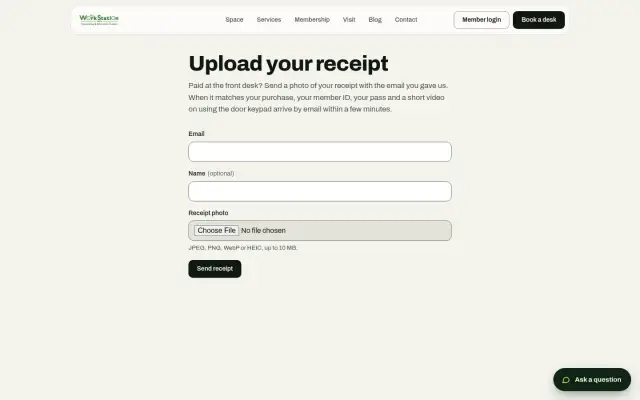
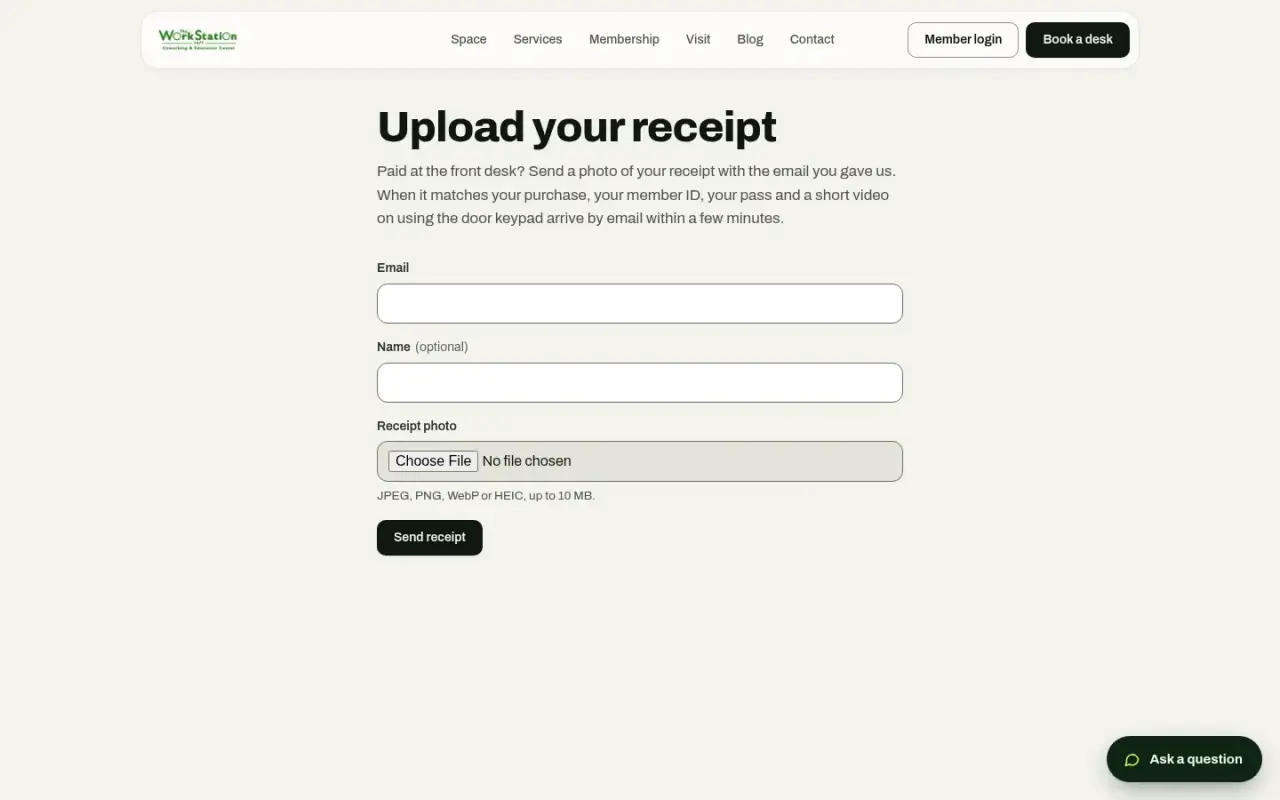
Front-desk buyers upload a receipt photo to get their member ID and pass.

Key features

  • Payment pipeline that is safe to re-run, keyed on the Square payment ID
  • Receipt scans with image-fingerprint duplicate detection and a 30-day default window
  • ID vault with unused, reserved, used and retired states, plus a low-stock warning
  • Loyverse sync with fuzzy customer matching and receipt creation
  • Two-way mirror between plans and Square catalog and payment links
  • Pipeline runs with step timelines and replay
  • Webhook log, a global kill switch and per-pipeline pause, all set from the admin panel
  • Background job worker in the same service, built so two workers do not take the same job
  • Admin panel for members, plans, payments, refunds, notifications, staff, attendance, leave, reviews, events and blog
  • Member sign-in by magic link
  • Thai language support

Delivery

The repository history starts with the move from Supabase to Neon and Netlify Functions on 13 May 2026, with the FastAPI service added the same day. Production deployment with the Square mirror and database-driven landing page followed on 15 May. Later commits added the email queue, auto-approved scans, OpenAI vision, Loyverse matching and receipt images on admin emails. The repository holds 32 commits through 6 July 2026.

Security & infrastructure

  • Passwords stored in scrambled form, and sign-in sessions signed and held in protected browser cookies
  • Integration credentials encrypted before they reach the database
  • Square and Loyverse webhooks verified by signature
  • Member sign-in links stored only in scrambled form, with a 15-minute expiry, and a response that does not reveal whether an email exists
  • Visitors who are not signed in can submit only the contact, application and receipt forms
  • Audit log and admin activity log
  • Error monitoring with Sentry

Limits

The public front end has changed since the source we reviewed, so this page describes it only from what the live site shows. Member and admin areas are behind sign-in and were not viewed.
Built with

The tools behind it

For technical readers, here is what it runs on. Tap a name to highlight it. The words explained below appear across this page.

What these words mean

Pipeline
A fixed series of automatic steps.
Webhook
An automatic message one service sends to another.
Point of sale (POS)
The till system. Here, Loyverse.
Perceptual hash
A fingerprint of an image that still matches if the picture is resized.
Magic link
A sign-in link sent by email, in place of a password.
Kill switch
One control that stops automation straight away.
CRUD
Basic record work: create, read, update and delete.

Screens

The real thing

The WorkStation home page
The public site. Plan cards and member sign-in lead into onboarding.
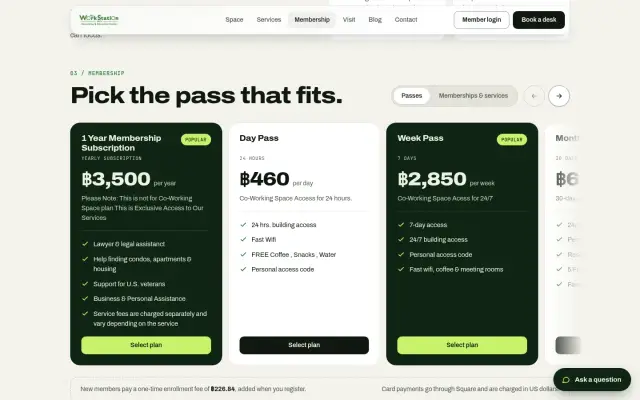
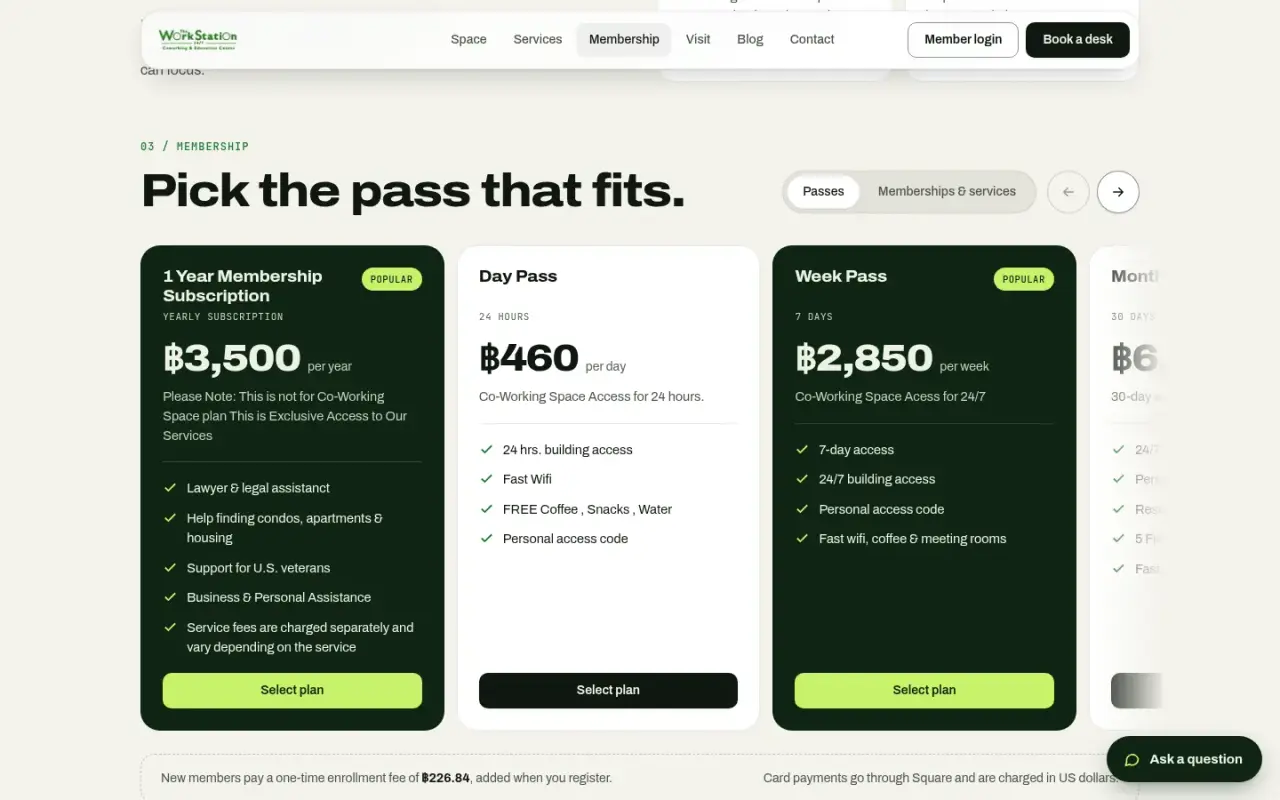
Membership plans with personal access code listed
Passes that include a personal access code.
Upload your receipt form
Front-desk buyers upload a receipt photo to get their member ID and pass.
The WorkStation home page on a phone
Home on mobile.
Membership plans on a phone
Plans on mobile.
Receipt upload form on a phone
Receipt upload on mobile.
100%

Tell us what your business needs to run on.

Answer a few questions and send them to us. We will tell you what we would build, and what you do not need.