Kingly IntelligenceSystems Start a project

Home / Work / The Fried Hangover

Food service and entertainment

One platform for a food truck, an artist and a shop, with one safe way to pay.

Three disconnected codebases merged into one live platform for a Phoenix vegan food truck: online orders, a music and goods shop, loyalty, reviews and one safe checkout.

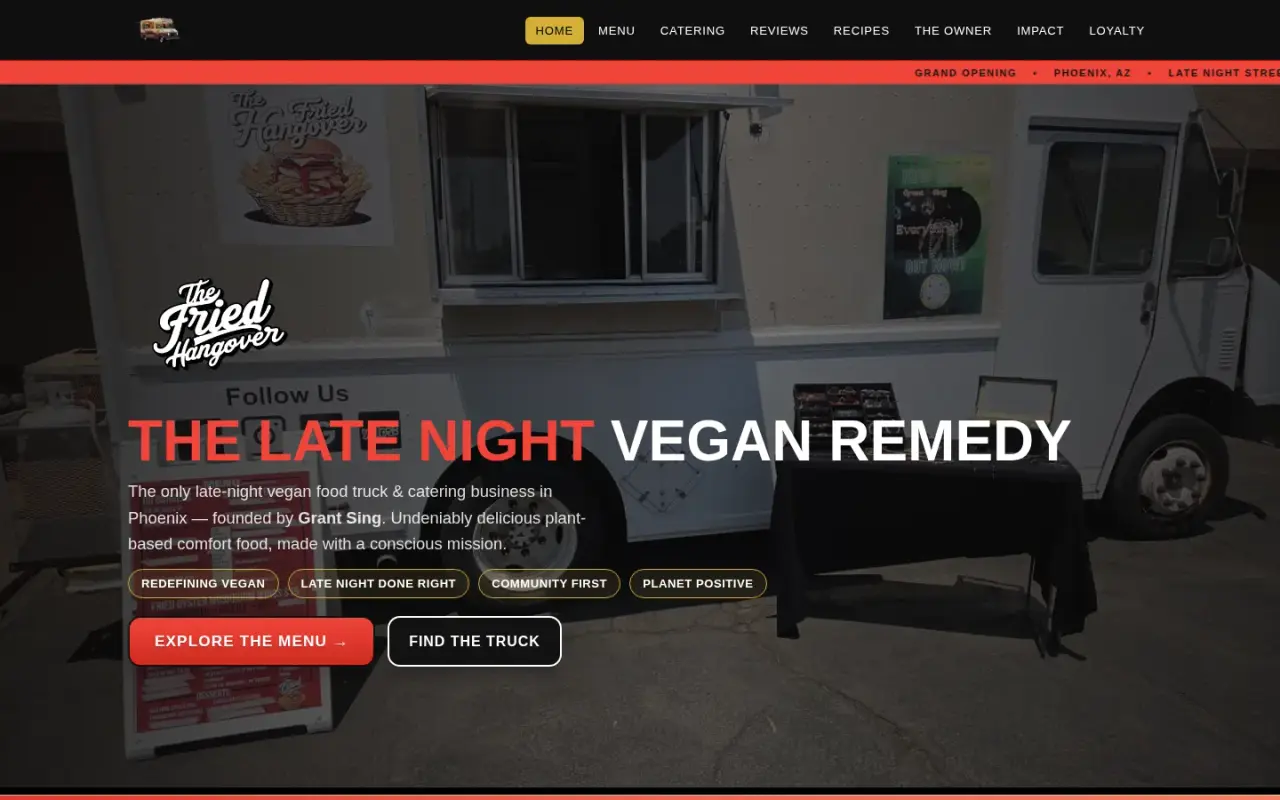
The Fried Hangover home page with the headline The Late Night Vegan Remedy over the food truck
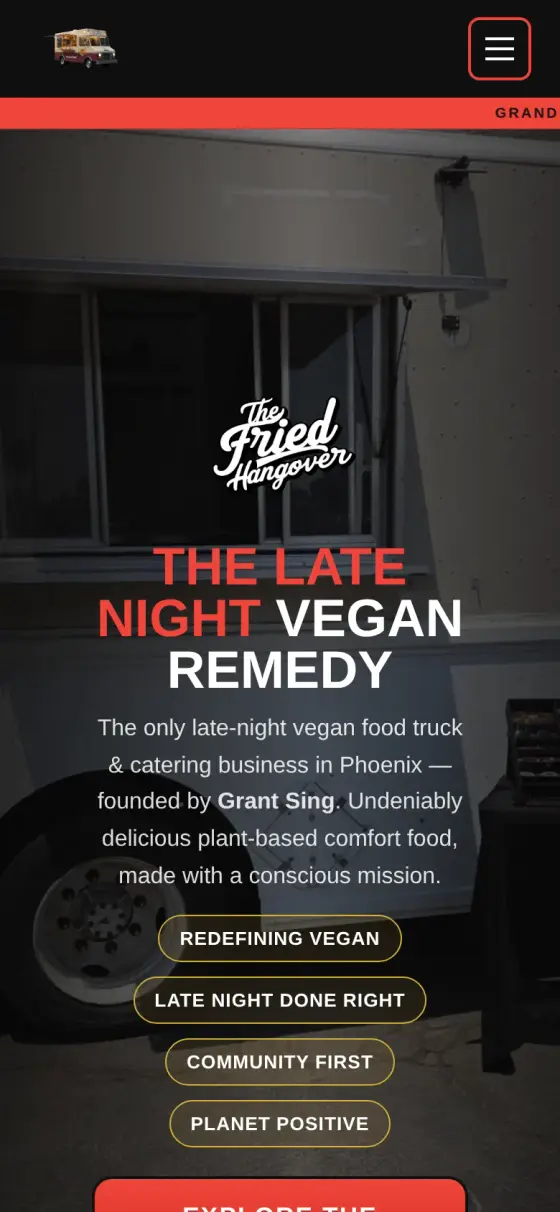
Mobile home page with logo, headline and brand values
The Fried Hangover
Who it is for
Owner-run food businesses that also sell goods, need online orders, and want to update the site without a developer.
The problem
The business lived in three disconnected codebases. The site could not sell, the loyalty app had no accounts or points, and approval to connect the till system was stuck.
What they get
One live site for food, music and handmade goods, one safe checkout, customer points and reviews, and an admin panel for routine updates.
LiveIn production at thefriedhangover.com
33Menu items you can order online
41Shop items: 11 music, 26 D.A.N.G.L.S, 4 SingAni
10Pages sharing one design
17Small server programs behind the site

The challenge

The Fried Hangover is a late-night vegan food truck and catering business in Phoenix, run by an owner who is also a recording artist with his own music, eyewear and jewellery lines.

When we started, the business lived in three disconnected codebases: a strong marketing website with no commerce, a loyalty app that was never wired to its payment code and had no accounts or points engine, and a stale static export of that app on a separate host. Content had drifted between them. Download buttons opened previews instead of saving files. Text was baked into background images.

Two requirements were blocked from the start. Online ordering and points redemption both depended on API approval from the POS vendor, which had not arrived. Meanwhile the owner kept sending real changes by email, and each one had to land correctly.

So the job had three parts: merge everything into one platform, keep up with a fast stream of client requests, and get paid orders flowing without waiting on a blocked integration.

The system

We kept the fast, hand-built site as the foundation. We rejected both obvious alternatives: placing the old app inside a page, or rebuilding everything from scratch. Most of the work was content and layout, and only a few surfaces are truly dynamic. The result is a fast multi-page site on Netlify, with small server programs for anything that changes, such as orders.

The storefront. Ten HTML pages with one shared navigation and design system: home, menu, catering, reviews, recipes, the owner and artist page, impact, loyalty, order confirmation and an admin page.

One payment rail. Food, music and handmade goods all go through the same checkout. The browser sends only item ids and quantities. A server-side catalogue sets every price. The function creates a Square order and a hosted payment link, and the customer pays on Square's own page, so card data never touches our site. The buyer returns to a confirmation page, which checks payment status on the server before showing the order as confirmed.

Payment confirmation. Square sends the site an automatic message when a payment happens. Each message's signature is checked before it is accepted.

Accounts and loyalty. Customers earn points on an append-only ledger. Transactions are never changed, and the balance is a cached sum kept in step with every entry. Passwords are stored in scrambled form, never as plain text.

Reviews. Customers can submit reviews, which go into a moderation queue. Submissions are protected against spam bots, floods of posts and harmful code pasted into a review.

Admin. A passphrase-protected panel covers orders, reviews, accounts, catalogue and downloads, so routine updates don't need a developer.

Storage. Netlify's file storage holds the data today. It sits behind a small, simple layer, so another storage service could replace it without rewriting the rest.

Outcomes

  • Live in production at thefriedhangover.com, replacing three disconnected codebases with one platform.
  • 33 menu items and 41 shop items on one server-priced checkout.
  • 10 pages and 17 serverless functions.
  • 176 passing checks in the first live functional test, on desktop and mobile. That test also found 3 distinct failures, which fed the next round of fixes.
  • Zero automated accessibility violations (checked with a tool called axe) across the 7 pages of the launch-readiness pass, in August 2026.

Step by step

How The Fried Hangover works, step by step

Here is one order, followed from the customer's phone to the owner's admin panel. Food, music and handmade goods all take this same path.

  1. The customer fills a cart

    What happens
    The customer browses the 33-item menu or the 41-item shop and adds items to a cart.
    Who or what does it
    The customer, on the Netlify-hosted website.
    Why it matters
    One cart covers late-night wings and a music single, so the owner runs one store instead of three.
  2. The site sends only what was chosen

    What happens
    The browser sends item ids and quantities. It never sends a price.
    Who or what does it
    The website's checkout code.
    Why it matters
    Nobody can edit a price in their browser and pay less.
  3. The server sets the price

    What happens
    A small program on the server looks up each item in a trusted list. A product with no price cannot be sold.
    Who or what does it
    A serverless function, which is code that runs only when called.
    Why it matters
    The amount charged is always the owner's price, and nothing can go out at $0.
  4. Square takes the payment

    What happens
    The server creates a Square order and a payment link. The customer enters their card on Square's own page.
    Who or what does it
    Square, the payment company.
    Why it matters
    Card details never touch the site, so the business does not have to look after them. It also let orders go live while the till approval was still blocked.
  5. Square tells the site it was paid

    What happens
    Square sends a signed message to the site. Each message is checked with a secret signature, and anything unsigned or invalid is rejected.
    Who or what does it
    Square sends it. A function called a webhook receives and checks it.
    Why it matters
    A forged message cannot mark an order as paid.
  6. The customer sees a checked confirmation

    What happens
    The customer returns to a confirmation page. It asks the server for the real payment status before it shows the order as confirmed.
    Who or what does it
    The confirmation page and the server.
    Why it matters
    Simply landing on the page proves nothing, so the customer and the owner can trust what it says.
  7. The owner manages it all in one place

    What happens
    A passphrase-protected panel covers orders, reviews, accounts, catalogue and downloads. Reviews wait in a moderation queue, and an approved review earns points.
    Who or what does it
    The owner or staff.
    Why it matters
    Routine updates do not need a developer, and every points change is kept as a permanent record.

Architecture

How the system fits together

01 / 06 The customer

  • CustomerOrders food, music or goods.→ Static site → Square hosted checkout · pays

02 / 06 What customers see

  • Static site10 pages on Netlify.→ Checkout function · ids and quantities → Reviews and moderation
  • Confirmation pageAsks the server for the real payment status.→ Orders · verifies

03 / 06 Behind the scenes

  • Checkout functionAccepts item ids and quantities only, never prices.→ Trusted catalogue · price lookup → Square hosted checkout · creates order and link
  • Trusted catalogueThe owner's real menu and goods prices.
  • Signed webhookChecks Square's signature before accepting a payment message.→ Orders · marks paid
  • Reviews and moderationHolds reviews until they are approved.→ Accounts and points ledger · approved review earns points

04 / 06 Payment company

  • Square hosted checkoutCreates the order and takes the card on its own page.→ Signed webhook · payment event → Confirmation page · redirect

05 / 06 Stored records

  • OrdersSaved records of each order.
  • Accounts and points ledgerPoints records that are added to, never changed.

06 / 06 The owner's tools

  • Admin panelOrders, reviews, catalogue, accounts and downloads.→ Orders → Reviews and moderation → Trusted catalogue
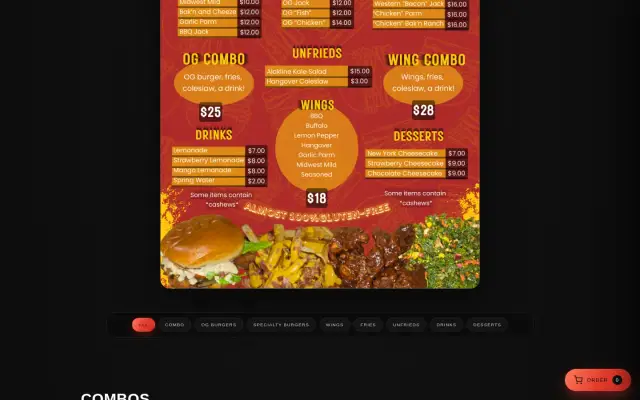
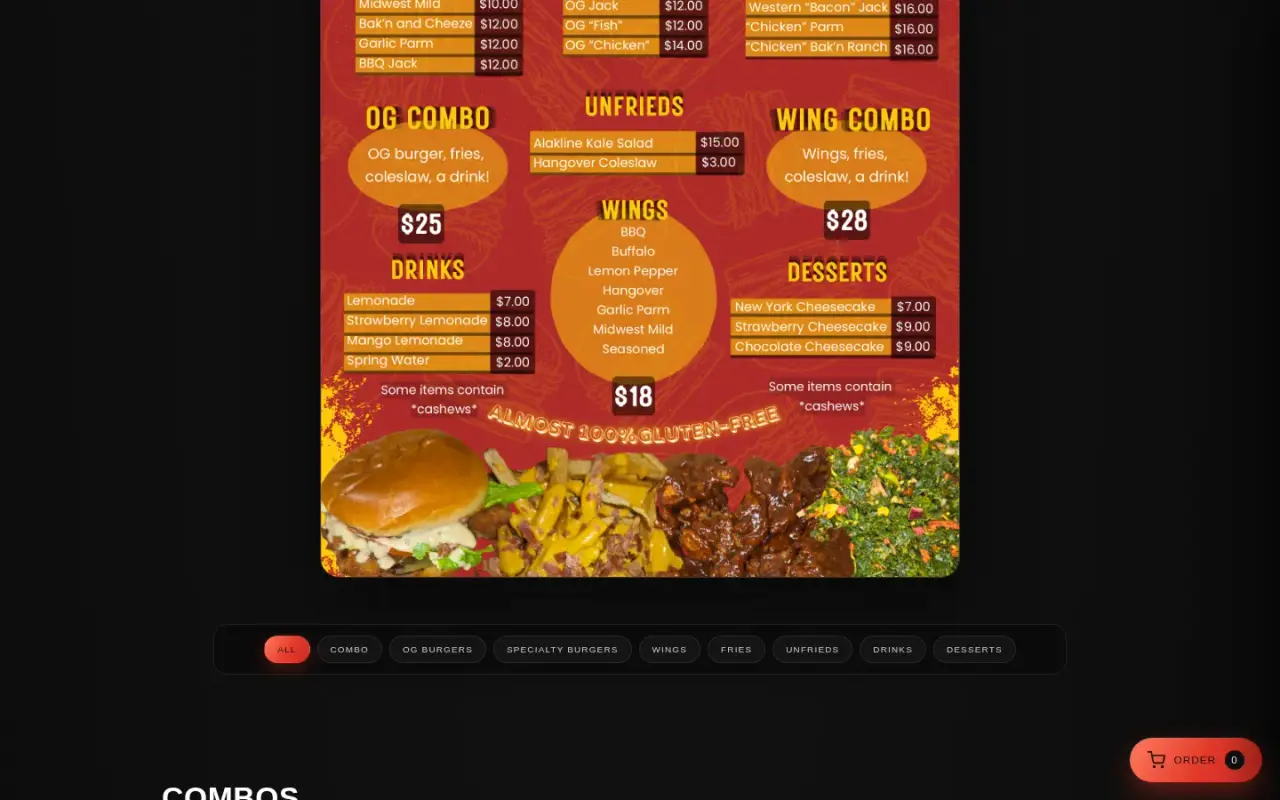
Category filters over the full menu.

Key features

  • Online ordering from a 33-item menu, with category filters and a cart
  • Hosted Square checkout with server-side pricing
  • A 41-item shop covering 11 music singles and 30 handmade pieces, on the same checkout
  • A product with no price cannot be sold, so nothing can ever be charged at $0
  • Catering enquiry page
  • Customer reviews with moderation
  • Loyalty accounts on an immutable points ledger
  • Real downloadable files, served as attachments
  • Artist section with music videos and music store
  • Admin panel for orders, reviews, catalogue, accounts and downloads

Delivery

We started by reading every request the client had sent and writing a traceability document, so each ask mapped to a change and a verification. The numbered spec was approved before the build.

The build ran in phases: merged site, loyalty and reviews, polish and launch readiness, then a functional test that drove the live site on desktop and mobile and asserted real outcomes rather than page loads.

The biggest change came mid-project. With POS approval still blocked, we moved ordering onto Square's hosted checkout instead of letting the requirement stall, and unified food, music and goods onto that one rail. Placeholder store links that had never resolved were removed and replaced with working purchase paths, and no URL, price or product name was invented to fill a gap. Where a client input was missing, the site showed an honest enquiry option until it arrived.

After launch, the client's menu, pricing and product updates were reconciled line by line against what they sent, and each round was verified before release.

Security and infrastructure

  • Prices are server-side only. The amount charged cannot be altered from the browser.
  • Hosted payment. Card entry happens on Square, so card data never touches the site.
  • Signed webhooks. Unsigned or invalid requests are rejected.
  • No accidental duplicates. Each payment link carries a unique key, so a repeated request does not create a second order.
  • Payment and service secrets stay server-side, in environment variables. Admin actions are verified on the server.
  • Server code stays private. It lives outside the files visitors can download.
  • Static delivery on Netlify, with self-hosted fonts and long-cache headers for fonts.
Built with

The tools behind it

For technical readers, here is what it runs on. Tap a name to highlight it. The words explained below appear across this page.

What these words mean

Serverless function
A small piece of code that runs on demand, so there is no server to look after.
Webhook
An automatic message one service sends to another when something happens.
HMAC-SHA256
A way of signing a message so the receiver can prove who sent it.
Point of sale (POS)
The till system a business uses to take payments.
Hosted checkout
A payment page run by the payment company, not by your site.
Append-only ledger
A record you can add to but never change, like a paper account book.
Netlify Blobs
Simple file-like storage for a website.

Screens

The real thing

The Fried Hangover home page with the headline The Late Night Vegan Remedy over the food truck
The home page.
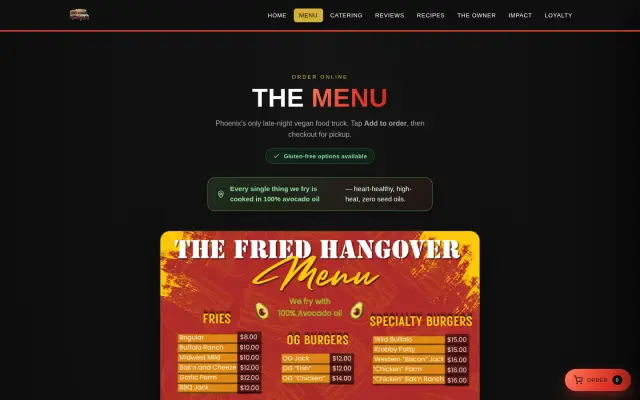
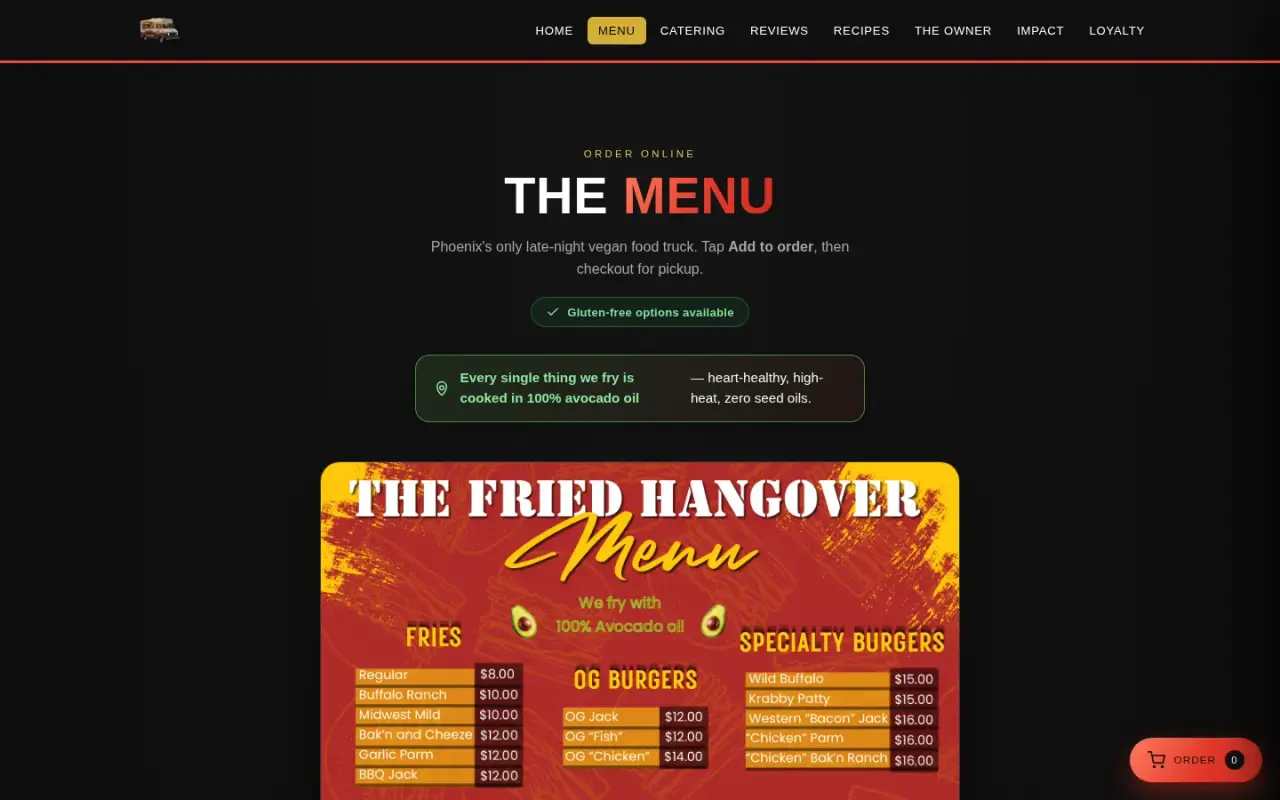
Order online page with The Menu heading and the menu poster
Ordering starts from the menu.
Menu poster above category filters for combos, burgers, wings, fries, drinks and desserts
Category filters over the full menu.
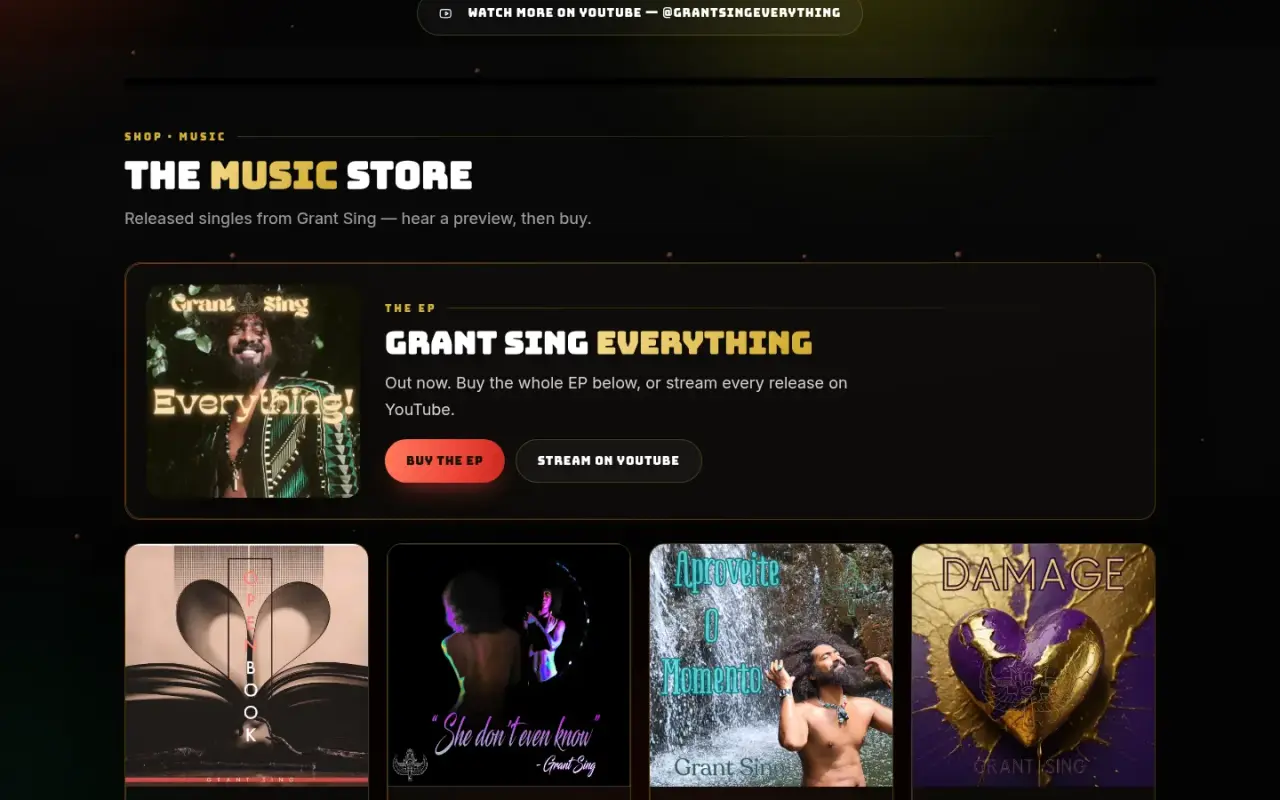
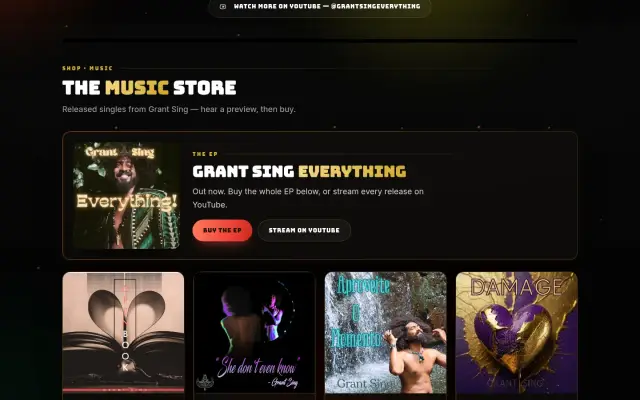
The Music Store section with an EP and individual singles
Music sold on the same checkout as the food.
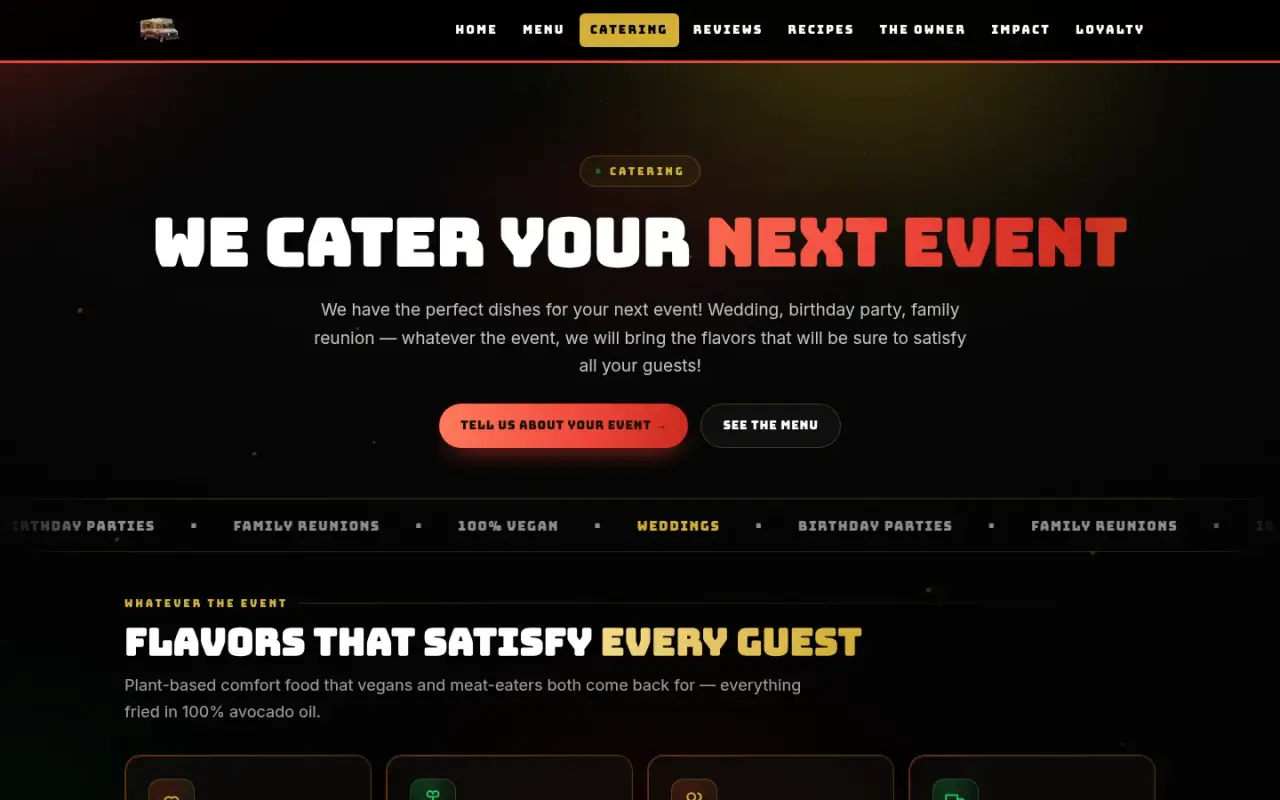
Catering page headed We Cater Your Next Event
Catering enquiries.
Mobile home page with logo, headline and brand values
Home on mobile.
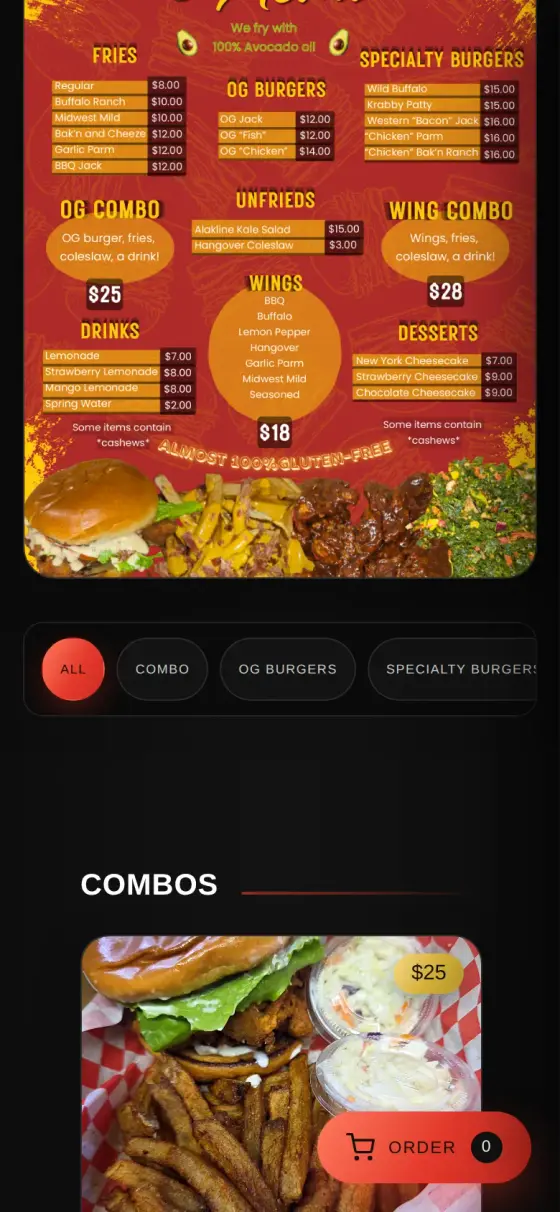
Mobile menu with category filters, a combo item and a floating order button
Ordering on mobile, with the cart button always in reach.
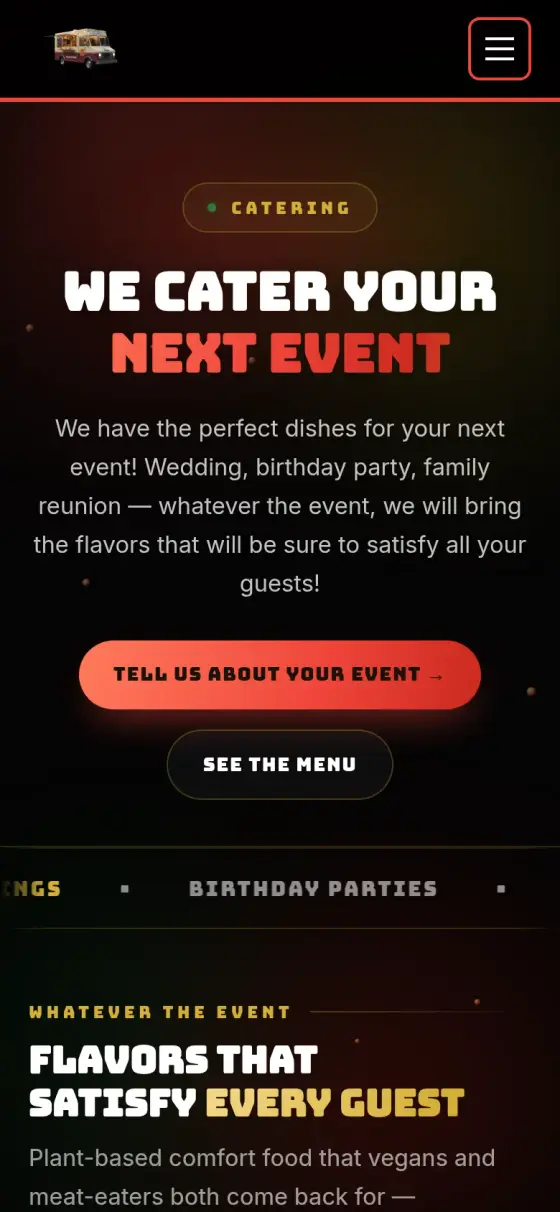
Mobile catering page with enquiry buttons
Catering on mobile.
100%

Tell us what your business needs to run on.

Answer a few questions and send them to us. We will tell you what we would build, and what you do not need.